Schlage smart locks: 5 key things to know before buying
Every key-wearer has lived this moment. You twist the deadbolt, walk three steps, and freeze. Did it catch? That jolt of doubt — wind gust, a half-distracted palm — is the entire reason a smart lock earns its place on the door.
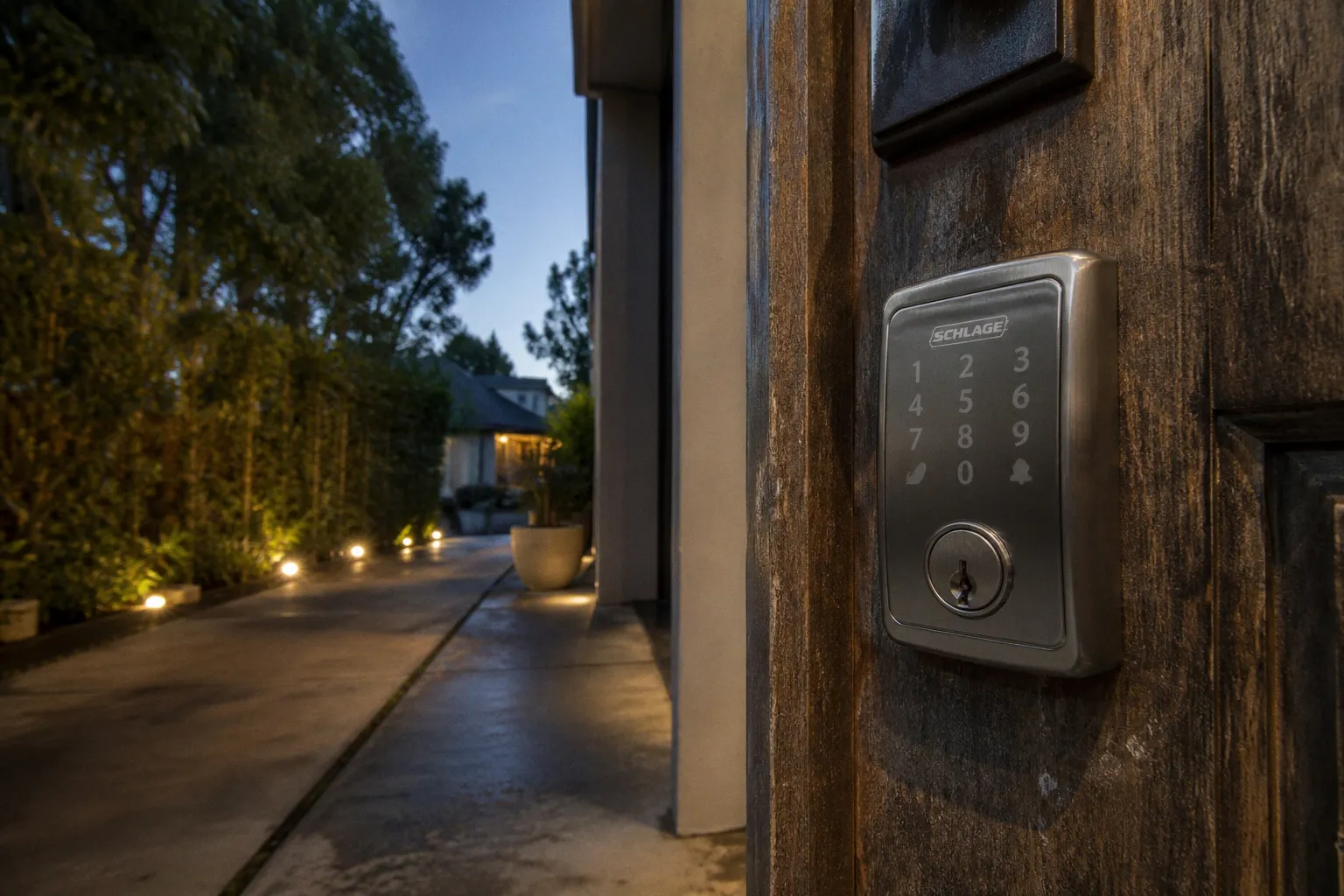
Schlage has been refining the tactile grammar of "locked" for the better part of a century. The brand's current Wi-Fi and Z-Wave deadbolts inherit that lineage before they inherit any smart-home protocol. Choosing between them is less about chasing the slickest interface and more about understanding the layers underneath — the security grade stamped into the bolt, the radio humming inside the housing, the ecosystem that will, or won't, welcome it home. Here is what actually matters before you buy.
A smart lock is, first, a lock. The radio is decoration until the bolt behind it is graded to take a hit.
The ANSI/BHMA Grade 1 stamp — and why the bolt is the whole argument
Smart locks live or die on the mechanical hardware behind the screen. Schlage's residential deadbolts carry, on a surprising number of models, the ANSI/BHMA Grade 1 rating — the highest residential certification in North America for both durability and security. That grade is not a marketing flourish. To earn it, a lock has to survive punishing cycle counts, hold up against repeated hammer and crowbar strikes, and resist the kind of torque attacks designed to model a real forced entry.
Translated into the way a lock actually feels on the door: a Grade 1 Schlage deadbolt is heavy. The interior escutcheon is substantial, the motor-driven bolt throws with a confident, low-pitched chunk, and the keyed cylinder turns with the kind of granular resistance that says, immediately, this is not a hollow box. That weight, that mechanical intent, is what survives a kick-in attempt and what survives a few years of three-times-a-day operation by a family of four. It is the first thing I would verify before I ever opened the app.
A Grade 2 rating is also common across the broader catalog. Grade 2 handles a reduced cycle count and a lighter strike-force threshold — perfectly respectable for interior doors or low-traffic entryways. The point is that the rating you see on the box describes what the rest of the lock is going to feel like for the next decade. Skip it and you end up with a smart lock that talks a beautiful game and flexes under a hard shoulder.
Wi-Fi, Z-Wave, Zigbee — three radios, three lives
Pick up three different Schlage boxes in a row and you will discover the smart-lock world runs on three distinct wireless conversations. Wi-Fi talks to your router. Z-Wave and Zigbee talk to a separate smart-home hub. Each path produces a noticeably different experience at the door.
| Parameter | Wi-Fi (Encode) | Z-Wave (Connect) | Zigbee |
|---|---|---|---|
| Hub required | No | Yes — Z-Wave compatible hub | Yes — Zigbee compatible hub |
| Network topology | Routed via home Wi-Fi and internet | Local mesh via hub | Local mesh via hub |
| Battery draw | Heaviest — toward the low end of the 6–12 month range | Lightest — longest runtimes | Light — competitive runtime |
| Typical response time | Noticeable, network-dependent | Crisp — local, hub-routed | Crisp — local, hub-routed |
| Best fit | Renters, single-home setups, hub-free preference | Hub-owning smart-home enthusiasts, larger homes, complex routines | Existing Zigbee households (some alarms, lighting) |
The contrast that matters most, day to day, is latency. A Wi-Fi lock is reaching out to the public internet for every unlock command — and while that path is fast most of the time, it can stall in a congested network, during a router reboot, or when your provider blinks. A Z-Wave or Zigbee lock, by contrast, talks to a hub a few feet away on the same LAN, then out to the cloud only if it has to. The result: that little "did it unlock?" lag when your hands are full of groceries is dramatically shorter on hub-routed radios. Not zero. Shorter.
If your home already runs a hub, Z-Wave remains the cleanest, most responsive play. If it doesn't, the Encode series exists to keep you out of that rabbit hole entirely.
The Encode pitch — and what hub-free actually costs
The Schlage Encode line, launched in 2019, was the brand's answer to the single-question smart-home reader: "I just want a lock that talks to my phone, without buying three other things." Built-in Wi-Fi means the deadbolt connects straight to the router — no bridge, no hub, no extra account layered on top of your alarm panel or smart speaker. For most one-router households, this is genuinely the cleanest on-ramp into the category.
What you trade for that simplicity is battery life. Wi-Fi radios are hungry. Expect the low end of the published 6-to-12-month range when the lock is in a busy entryway and the Wi-Fi signal is middling. Push it to a far corner of the house and battery anxiety arrives sooner. Set a calendar reminder. Replace cells before they go flat, not after — a smart lock with dead batteries becomes a very expensive paperweight.
The Encode Plus, sitting at the top of the line in the polished stainless and satin nickel variants, is also the model that brings Apple Home Key and native HomeKit support to the brand, alongside the usual Alexa and Google Assistant pairings. That single feature changes the everyday ergonomics: tap an iPhone or Apple Watch to the lock and it opens, no code, no app launch, no fumbling. Saturated, frictionless, the kind of moment that makes a smart home feel like a smart home.
Battery, deadbolts, and the maintenance rhythm
Schlage's published battery range — six to twelve months — is honest, but it is also elastic. Drag factors down: cold-weather installations on uninsulated doors, Wi-Fi-only models in low-signal corners, locks handling dozens of unlock events a day from a busy household. Drag factors up: Z-Wave locks in mesh-rich homes, name-brand lithium cells, and quiet usage.
A practical rhythm looks like this:
1. Use lithium cells in any exterior-facing door, especially in regions that see sustained winter cold. Alkaline dies faster and tolerates cold poorly.
2. Replace batteries in pairs, never singles. Mixing old and new cells produces uneven drain and shortens the run.
3. Keep the strike plate screwed deep into the framing — a loose strike is what makes the motor fight itself and burn battery on every throw.
4. Audit your access codes every few months. Stale contractor PINs and forgotten dog-walker codes are a battery drain in their own right.
5. Clean the interior escutcheon once a year. Pocket lint is the silent enemy of every motorized thumb-turn.
None of this is exotic. None of it is technical. All of it is the difference between a smart lock that disappears into the background for three years and one that asks for attention every Sunday.
Ecosystem compatibility — where Schlage actually lands
Here is the honest landscape. Schlage's Wi-Fi models (Encode, Encode Plus) speak fluent Amazon Alexa and Google Assistant. Apple HomeKit lands natively on the Encode Plus, and rides through a hub on a few legacy Sense models. Z-Wave Connect locks go wherever Z-Wave lives — SmartThings, Hubitat, Ring Alarm, Vivint, and a long tail of professional-grade panels. Zigbee-compatible models integrate with Zigbee coordinators and several mainstream alarm ecosystems.
That fragmented support is the small friction every Schlage buyer has to absorb. The fix is simple: pick the lock for the ecosystem you already use, not the one you might adopt. If the household voice is Alexa and there is no hub on the shelf, the Wi-Fi Encode path is the right one — every feature, every routine, every voice unlock will work the day you install it. If the household is built around a SmartThings or Hubitat hub and you want crisp local control, the Z-Wave Connect is the better long-term play, full stop. Mixing Schlage models across doors is fine. Mixing them across ecosystems in the same home is the path to an irritated household.
The verdict — what I'd actually buy
Start with the bolt. Confirm the ANSI/BHMA Grade 1 stamp on whatever model you are holding, because that rating is what survives both an attempted break-in and the slow grind of a decade of use. Then pick the radio based on the home you already have, not the home you imagine building.
For most readers, the answer lands on the Encode or Encode Plus. Built-in Wi-Fi keeps the setup brutally simple, the app is crisp, the backlit keypad glows with a clean, saturated blue that punches through a midnight doorstep, and the deadbolt behind it carries the Grade 1 heft that defines the brand. Buy a two-pack of lithium AAs the same day. Set a ten-month reminder. Forget about it for a year.
For the smart-home veterans already running a hub, the Z-Wave Connect keeps the door in the same mesh as everything else — lower latency, longer battery life, routines that fire the instant the bolt throws. Give up Apple Home Key, gain a faster, quieter lock that no longer needs the public internet to do its job.
Either way, that driveway moment — the one where you used to freeze and wonder — disappears. The deadbolt tells you, in a single low chunk, that the door is sealed. Everything else is just smart enough to stay out of the way.