Yale smart lock: is the keyless upgrade worth it?
The moment a front-door key becomes annoying is usually not dramatic. It is the grocery bag cutting into your fingers while you dig through a coat pocket. It is a dog walker waiting on the porch because the spare key is not where you thought it was.
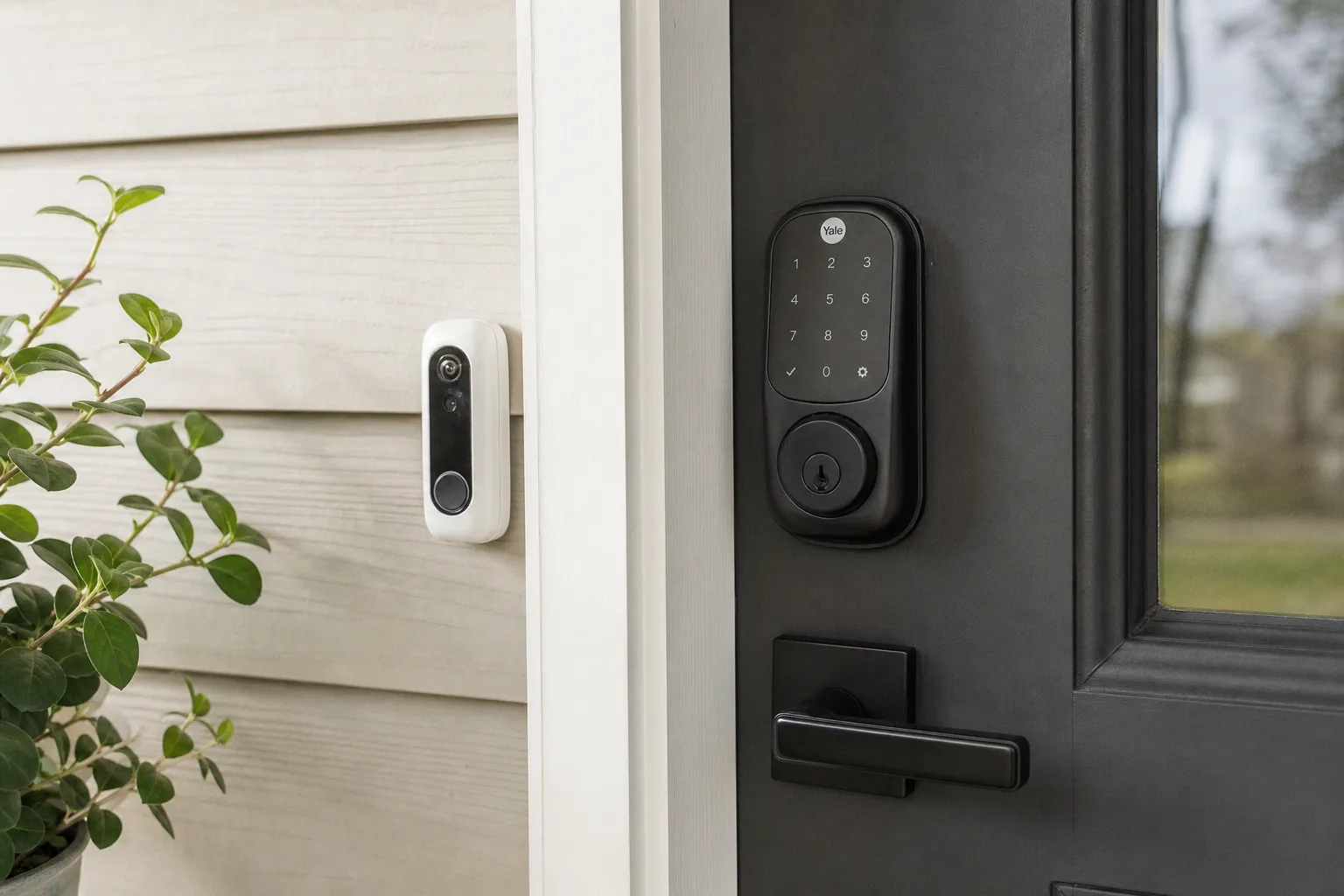
But the upgrade is not just “remove key, add app, feel futuristic.” A Yale smart lock changes the way your door behaves: how you let people in, how you know who came home, how much you rely on batteries and connectivity, and how comfortable you are with your front door becoming part of your smart home. For some households, it is a quiet quality-of-life improvement you appreciate several times a week. For others, it is one more device to maintain, troubleshoot, and explain to guests.
Keyless access is the point — but it is not one-size-fits-all
The best argument for Yale keyless entry is not novelty. It is the removal of tiny household frictions that repeat constantly.
A keypad code means you can walk out for a run without a jangling key ring. A temporary code means a cleaner, pet sitter, or neighbor can get in without you copying a key or hiding one under a planter, which always feels less clever than we pretend it is. App control means you can unlock the door from your phone when someone arrives early, assuming your model and setup support remote access.
Yale’s current smart lock family usually gives you several ways to unlock, depending on the model: keypad codes, smartphone control through the Yale Access app, and in some versions, fingerprint access. The Assure Lock 2 Touch, for instance, adds biometric fingerprint unlocking, which is one of those features that sounds indulgent until you use it with a full laundry basket or a child half-asleep on your shoulder.
The practical choice is less about “smart lock or not” and more about which kind of household rhythm you are trying to fix.
| Daily situation | Yale feature that helps | What it feels like in real life |
|---|---|---|
| Kids arrive home before you | Individual PIN codes and activity log | You can see that someone got in safely without asking them to remember a key |
| Dog walker or cleaner needs access | Temporary or scheduled codes | No spare key handoff, no “where did I put it?” follow-up |
| You leave for walks or runs | Keypad entry | You can travel light and stop patting every pocket before closing the door |
| Family members hate apps | Keypad or fingerprint model | The lock stays approachable instead of becoming one person’s tech project |
| You often forget whether you locked up | App status and remote control, if connected | You can check from the couch, office, or airport instead of replaying the morning in your head |
I tend to be impatient with smart home gear that solves a problem by creating three smaller ones. A good lock should feel almost boring after the first week. You press a code, touch a finger, or tap the app; the door opens; nobody has to learn a new household ceremony.
That is where Yale generally gets the value proposition right. The keypad is still the heart of the experience. The app is useful, but you do not want your front door to depend on everyone having a charged phone, the right account permissions, and patience.
A smart lock earns its place when it makes the door calmer, not when it makes the door feel like a gadget.
The Wi-Fi bridge question is where many buyers get surprised
Here is the part that is easy to miss when you are comparing finishes, keypads, and fingerprint options: not every Yale smart lock has built-in Wi-Fi. Many Yale models need either a Yale Connect Wi-Fi Bridge or a built-in Wi-Fi module to enable remote access, notifications, and voice assistant integration.
That matters because Bluetooth-only control is local. It works when you are near the lock, usually standing at or close to the door. If you want to unlock from across town, receive alerts when someone enters, or connect with Alexa, Google Home, or Apple HomeKit, you need the lock connected beyond your front hallway. In Yale’s world, that often means adding the bridge or choosing a version with the right connectivity included.
The bridge is not a scary piece of equipment. In daily terms, it is a small plug-in device that helps the lock talk to your home Wi-Fi network, typically over 2.4GHz Wi-Fi for remote features. But it does add another layer: another device in an outlet, another setup step, another thing to think about if notifications stop arriving.
This is where I would slow down before buying. Ask yourself what you actually want the Yale smart lock to do.
If you only want keypad entry for your family, Bluetooth setup and local control may be enough. If you want to check the lock from work, let in a contractor while you are at lunch, or fold the lock into a broader smart alarm system, you should plan for Wi-Fi connectivity from the start. Buying the least expensive version and discovering later that remote access requires another part is the kind of small smart home frustration that makes people shove the box into a drawer.
The broader industry is moving toward more connected, app-first routines in every corner of home life, from security systems to reading services and regional digital subscriptions; you can see the same software-led shift in pieces like this look at mobile app development shaping Qatar’s tech evolution. For door locks, though, the software layer has to justify itself in a very grounded way. It has to make access simpler, not just more connected.
What remote access actually changes
Remote access is not something you may use every day. But when you need it, it can be the whole reason the lock was worth installing.
It helps when:
1. Someone arrives earlier than planned. A visiting relative, babysitter, or repair technician can be let in without you racing home or sharing a permanent code.
2. You want confirmation rather than guesswork. The Yale Access app can show an activity log, so you can see who unlocked the door and when.
3. You manage a busy household. Separate codes create a cleaner picture than one shared family code that everyone gives to everyone else.
4. You use voice assistants or routines. With the right bridge or module, Yale locks can integrate with systems like Alexa, Google Home, or Apple HomeKit, depending on the specific product and setup.
5. You want security habits to become more visible. A traditional lock tells you nothing once you leave. A connected lock can make the door part of your daily awareness.
That last point is not glamorous, but it is meaningful. The activity log is one of the strongest practical security advantages over a mechanical deadbolt. It will not turn your home into a high-security facility, and it should not make you careless, but it does give you a record. For parents, caregivers, frequent travelers, and anyone coordinating access with people outside the household, that record can be genuinely useful.
Battery life is manageable, but it becomes part of your upkeep
A Yale smart lock usually runs on four AA alkaline batteries, and typical battery life is often in the range of six to twelve months. That is a broad range because usage matters. A busy door with children, dog walkers, deliveries, and frequent remote checks will not behave like a quiet side door opened twice a day. Wi-Fi features can also affect power use, and exact drain depends on the model, module, and real-world setup.
This is where I think smart lock reviews sometimes get too breezy. “Battery powered” sounds simple until you realize the batteries are now part of the front door’s upkeep, like changing HVAC filters or cleaning the lint trap. Not difficult. Just real.
In my house, the devices that succeed are the ones that can be maintained without a tiny family lecture. A Yale lock is reasonable on that front because the battery format is ordinary — four AA batteries, not some obscure rechargeable pack that vanishes right when you need it. The app and lock will typically give low-battery warnings, and if you treat those as “buy batteries this week” rather than “ignore until chaos,” you should be fine.
The more reassuring detail is the emergency power option. Yale smart locks commonly include an exterior emergency power contact for a 9V battery. If the internal batteries are completely depleted, you can hold a 9V battery to the terminal to temporarily power the lock and get inside. That does not mean you should run the lock to zero. It means a dead battery does not automatically become a locksmith situation.
Still, the 9V backup is something everyone in the household should know exists. Otherwise, the feature is just trivia.
The maintenance rhythm I would actually use
You do not need a spreadsheet for a door lock. You do need a simple habit.
- Use good alkaline AA batteries. Cheap batteries can turn a low-maintenance device into a fussy one. Since the lock is protecting your front door, this is not where I would save pennies.
- Change batteries before a long trip. If you are leaving for two weeks and the lock has already warned you, do not make future-you deal with it from a driveway at midnight.
- Keep a 9V battery somewhere sensible. A kitchen junk drawer is fine. A car glovebox can be useful. Just avoid storing the only backup somewhere behind the locked door if nobody has another entry method.
- Teach the backup process once. The emergency terminal is only helpful if your household knows how to use it.
- Pay attention to door alignment. If your deadbolt has to grind against the strike plate every time it locks, the motor works harder. A smooth mechanical fit matters more than people think.
That last point is the quiet one. Smart locks are still physical locks. If your door swells in humid weather, sags on old hinges, or needs a hip-check to close, do not expect the motor to magically overcome bad alignment forever. Fix the door first. Then make it smart.
The lock may be digital, but the door is still wood, metal, weather, screws, and gravity.
Security is better in some ways and more complicated in others
The Yale smart lock pros and cons are not a simple “smart equals safer” story. A good smart lock can improve everyday security habits, but it also introduces digital responsibilities that a plain deadbolt does not have.
The strongest security upgrade is access control. Physical keys are messy. They get copied, lost, loaned, forgotten, and left in kitchen bowls at other people’s houses. With a Yale smart lock, you can create and remove codes. You can give different people different access. You can see activity in the Yale Access app. If a contractor no longer needs entry, you revoke access instead of wondering whether a key was duplicated.
That is a real improvement.
The more complicated side is that your lock now lives partly in software. You should not think of any smart lock as unhackable. The reasonable position is that it is one layer in a home security setup, and it deserves the same common-sense digital hygiene as the rest of your connected home.
Use a strong Yale account password. Turn on two-factor authentication if available. Keep your phone secured. Keep your home Wi-Fi protected with a strong password. Do not share one permanent code with every person who ever waters your plants. These are not thrilling tasks, but they are the digital equivalent of not leaving a spare key under the doormat.
This is also why I prefer smart locks that keep the basic interaction simple. A keypad code, changed when needed, is easy to explain. A household full of app permissions, voice routines, and shared logins can get cluttered fast.
How Yale fits into a broader smart home security setup
A Yale smart lock can sit on its own, and for many people that is enough. But it becomes more interesting when it works alongside the rest of your home monitoring gear.
Pair it with a video doorbell, and you can see who is there before unlocking. Pair it with outdoor security lighting, and late arrivals feel less like fumbling in the dark. Fold it into a smart alarm system, and locking the door can become part of a leaving-home routine. Add motion sensors or security cameras, and the lock becomes one part of a wider picture rather than a lonely device on the front door.
The trick is not to automate everything just because you can. I like routines that match real behavior. For example:
- When the last person leaves, the door locks and the alarm arms.
- When a trusted family code is used, the entryway light turns on after dark.
- When a temporary guest code is used, you receive a notification.
- At bedtime, the system checks whether the front door is locked.
Those are practical. They map onto things people already do. What I would avoid is a fragile chain of automations where one missed Wi-Fi signal makes the evening feel haunted. Smart home security should reduce mental load, not give you another dashboard to babysit.
Yale’s compatibility can vary by model and module, especially when you get into ecosystems and standards, so this is another area where you should buy for the system you already use. If your home is mostly Apple HomeKit, do not assume every Yale package on the shelf will behave the same way. If you live in Alexa routines, check that the version you choose supports what you expect. If you need Z-Wave for an alarm hub, do not accidentally buy a Wi-Fi-only configuration because the box looked similar.
This is the unglamorous buying advice that prevents returns.
The Wi-Fi bridge is worth it only if you will use the connected features
The phrase “Yale smart lock Wi-Fi bridge” tends to show up when people are already halfway confused, so let’s make it plain. The bridge or Wi-Fi module is what turns a local smart lock into a remotely accessible one. Without that remote connection, you may still have keypad entry and Bluetooth control nearby, but you will not get the full away-from-home experience.
Whether that is worth it depends on your life.
If your main complaint is “I hate carrying keys,” you may not need remote control. A keypad model can solve that cleanly. If your main complaint is “I need to manage access while I am not home,” the bridge becomes much more important.
I would think of the bridge as useful for three kinds of homes:
1. The flexible-access home. Cleaners, dog walkers, guests, relatives, contractors, and neighbors all come and go at different times.
2. The anxious-checking home. Someone regularly wonders whether the door was locked and would genuinely benefit from being able to check.
3. The integrated smart home. The lock is part of routines with cameras, alarms, lights, and voice assistants.
If none of those sound like you, the connected layer may feel like extra clutter. And that is okay. Not every smart home device has to be used at maximum capacity. Sometimes the right version is the calmer version.
Installation is not just about the lock — it is about your door
Yale smart locks are generally designed as deadbolt replacements, and many homeowners can install them without calling a professional. But the success of the installation depends heavily on the current state of your door.
Before buying, look at the boring physical details. Does the deadbolt slide in and out easily when the door is closed? Is the door properly aligned? Does the latch catch unless you lift the handle? Is the existing hole standard enough for a replacement lock? A smart deadbolt is not a door repair kit. If the current lock is already fighting the frame, the smart version will inherit that fight and add motor noise to it.
This is especially true in older homes, rental properties with heavily painted doors, and exterior doors that swell with seasonal moisture. The prettiest keypad in the world will not feel premium if the bolt struggles every evening.
I also think households should decide who is allowed to manage the lock before installation day. It sounds small, but access control can become domestic politics. Who can create codes? Who gets app notifications? Are kids using individual codes or one family code? Are temporary codes deleted promptly? These decisions do not need to be dramatic; they just need to be made.
A smart lock works best when it is treated like a shared household appliance, not one person’s private gadget attached to a communal door.
So, is a Yale smart lock worth it?
A Yale smart lock is worth it if your home has recurring access friction: people arriving at different times, keys getting lost, guests needing temporary entry, or that familiar little worry about whether the front door is locked. It is especially useful if you will take advantage of individual codes, the Yale Access app activity log, and remote features through the right Wi-Fi bridge or module.
It is less compelling if your current key routine is already effortless, if you dislike battery upkeep, or if your door is mechanically troublesome and you are hoping a smart lock will smooth over the problem. It will not. Fix the door first.
My practical read is this: the Yale upgrade makes the most sense for busy households, caregivers, pet-owner schedules, short-term guest access, and anyone building a broader security setup with cameras, lighting, and alarms. It is not magic, and it is not maintenance-free. But when matched to the right routine, it quietly removes one of the most persistent bits of household clutter — the front-door key problem — and replaces it with access you can actually manage.