Embedded smart home hubs: why dedicated bridges are vanishing
The black box on your shelf used to be a status symbol. The little hub with the blinking LED — the one that promised to make your door sensors, your light bulbs, and your motion detector actually…
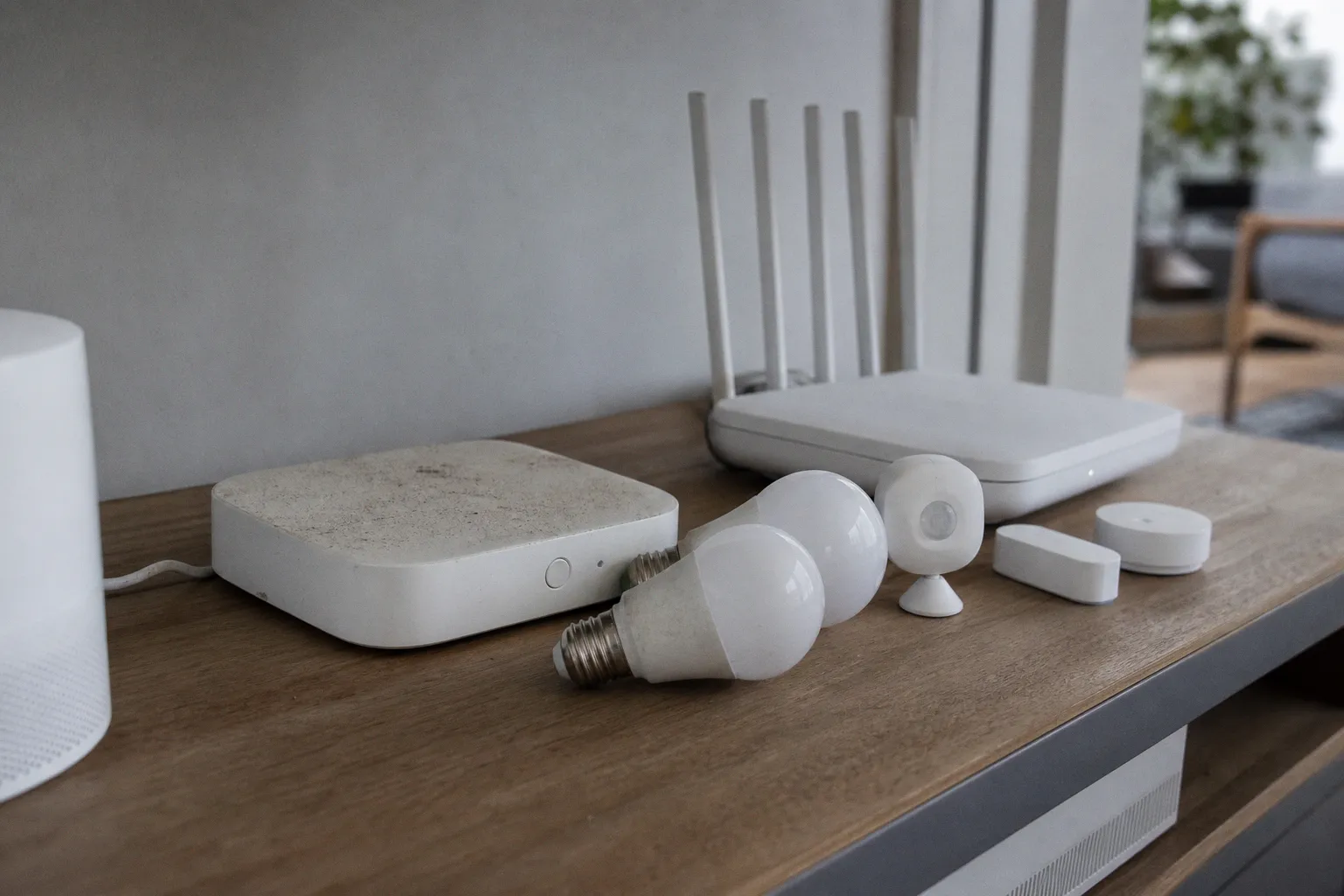
The black box on your shelf used to be a status symbol. The little hub with the blinking LED — the one that promised to make your door sensors, your light bulbs, and your motion detector actually talk to each other — sat next to the router like a small medal of progress. Now I look around my own living room and that box is gone. The router on the bookshelf quietly does the same job. The smart speaker on the counter does it too. There is no longer one place where my smart home lives, and that is exactly the point.
What is happening in 2026 is not the death of the smart home hub. It is the death of the dedicated hub. The functions have not gone away. Thread still needs a border router. Matter still runs through controllers. Zigbee and Z-Wave devices still need a coordinator or bridge. What has changed is where those functions live: inside the Wi-Fi router, inside the smart speaker, inside the smart TV, inside appliances you already own. The infrastructure has gone invisible, and that is worth understanding, because the rules you used to follow when shopping are quietly different now.
The hub box is fading. The controller, the bridge, the coordinator — those roles are still alive. They just moved into your existing devices.
The Invisible Infrastructure: From Dedicated Boxes to Embedded Gateways
For a decade, the recipe was simple. Buy a smart speaker. Buy a hub. Download two apps. Deal with the fallout. The hub was a translation device as much as anything else. It spoke Zigbee or Z-Wave to your cheap battery sensors, and it spoke your home Wi-Fi to the rest of the house. When Matter arrived in 2022, the promise was that this translation layer would finally be standardized. Six years later, the standardization has happened, but it has not produced a single brand-new box on your counter. It has produced a quiet migration into the devices you already own.
You can see where this lands if you walk through a house built up over the past year or two. Some current flagship mesh routers ship with Thread Border Router functionality and Matter Controller capability baked in, but only depending on the model and the firmware loaded at the time. Some smart displays can commission Matter devices and route Thread traffic — again, depending on the generation, the platform, and whether the manufacturer has enabled the feature in your region. A smart TV from certain brands can join the same Matter fabric as your lights and locks, but only specific recent models running the right firmware build. The point is not that every device on your shelf is a hub. The point is that the hub function is no longer something you buy as a separate appliance; it is a checkbox on the spec sheet of gear you were going to buy anyway. Whether that checkbox is actually checked depends on the device in front of you, and on the platform account you signed in with, and on the firmware build that happened to ship that quarter.
This is the invisible smart home infrastructure the industry has been promising for years — and it is finally arriving in real products, not just on a roadmap slide.
Matter 1.4 and the Rise of Certifiable Home Routers and Access Points
The shift is visible in Matter's own roadmap. Matter 1.4 came out on November 7, 2024, and it did something quietly significant: it introduced certifiable Home Routers and Access Points, which the spec calls HRAPs. An HRAP is a Wi-Fi access point and a Thread Border Router living in the same box, with a secure directory for sharing Thread network credentials. Instead of every Thread-capable device building its own little mesh that no other device can see, your router can hand out credentials so all of them join one mesh.
An HRAP is your router quietly graduating into the smart home's headquarters.
That matters more than it sounds. The old pain point of Thread was that every hub, every speaker, and every TV with a Thread radio could end up running its own private mesh. Devices on one mesh could not see devices on another. Many a smart home enthusiast has spent a weekend troubleshooting exactly this. With HRAPs, the router becomes the single source of truth for which Thread network your devices should join. The fragmentation problem starts to dissolve.
Then Matter 1.4.2, released August 11, 2025, tightened the requirements. Any Thread Border Router inside a Network Infrastructure Manager has to support at least 150 devices and be certified for Thread 1.4. The Wi-Fi access point in the same box has to handle 100 simultaneous associations, Extended Sleep, and Proxy ARP/ND. Translated into the language you actually care about: the bar for "your router is the new hub" has been set quite high. Whether your actual router clears it depends entirely on what you bought and when — only certain flagship mesh systems released in the last year or two carry the certification, the relevant firmware has to be installed, and the Thread radio has to be enabled in the admin panel. If you happen to have one of those specific models with the right firmware, this is exactly what you got. If not, the same router may be a perfectly good Wi-Fi box with no smart home role at all, and you are back to square one.
Matter 1.5 followed on November 20, 2025, and Matter 1.5.1 arrived on March 31, 2026. The 1.5.1 release is a maintenance update focused on cameras, doorbells, media playback, chimes, and intercom devices — the kind of things that turn a smart home from a collection of gadgets into a working system. You will not notice the update. Your devices will.
Thread Border Routing: Why Your Wi-Fi Router Is the New Network Coordinator
A Thread Border Router is not a product. It is a function. It connects a Thread mesh — the low-power network your sensors, locks, and bulbs use while sipping battery — to your Wi-Fi and Ethernet, so that your phone, your apps, and the internet can talk to them. Until recently, you bought a separate box to do this. Now the function is embedded in HomePods, Apple TVs, Echo devices, Nest hubs, some smart TVs, and a growing list of mesh Wi-Fi routers that meet the HRAP bar. The Thread Group itself has noted that multiple border routers on the same network improve resilience. If one device acting as a border router dies, the others keep the mesh connected to the rest of your home.
This is the kind of unglamorous infrastructure work that makes distributed systems actually function. It is the same flavor of problem that researchers describe when they build missing infrastructure to move AI between robots — the unloved plumbing that lets the whole system do its job. You do not see it. You just notice that things respond.
In practical terms, the shift matters for the unglamorous reason that every smart home eventually hits: when something stops working. In the old setup, a single failed hub could take a wing of the house offline. In the new setup, your router, your speaker, and your streaming box are all potential border routers — assuming each one actually has the Thread radio enabled, is on a firmware version that exposes the feature, and is configured to advertise itself as a border router on your network. Lose one and the others pick up the traffic. You do not have to think about this. You just stop getting those 2 a.m. "device offline" notifications.
A quick map of where the roles actually live now:
| Role | What it does | Where it lives in 2026 |
|---|---|---|
| Thread Border Router | Connects the low-power Thread mesh to your Wi-Fi and Ethernet | Selected mesh Wi-Fi routers, smart speakers, smart displays, some smart TVs and appliances |
| Matter Controller | Adds devices, runs automations, controls the Matter fabric | Smart speakers, smart displays, set-top boxes, some home routers |
| Matter Bridge | Translates Zigbee or Z-Wave devices into a Matter fabric | Dedicated smart-home hub, some appliances, some routers |
| Zigbee / Z-Wave Coordinator | Manages the legacy mesh and exposes it to the network | Usually a dedicated hub; newer Zigbee Direct gear can use a BLE device |
A single physical device can perform more than one of these roles — when its model and firmware actually support them. The latest HomePod, for example, is both a Matter Controller and a Thread Border Router. A flagship mesh system that meets the HRAP bar may well ship with Thread Border Router and Matter Controller support baked in, layering those jobs on top of its Wi-Fi access point role. The lines between products are blurring because the lines between jobs have always been blurry, but the blurring only counts if the specific box in your house is actually doing it, with the firmware it needs and the platform integrations it requires.
The Persistence of Bridges: Why Zigbee and Z-Wave Still Need Translators
Matter is an IP-based protocol. It uses Wi-Fi, Ethernet, and Thread for device traffic, and Bluetooth Low Energy for setup. Zigbee and Z-Wave are not IP-based. They are mesh protocols with their own radios, their own commissioning flows, and their own decades of installed devices. A Matter controller cannot directly speak to them. Something has to translate.
That something is a Bridge. Silicon Labs, the company behind Z-Wave, describes a Z-Wave controller or gateway as the component that adds, removes, and controls Z-Wave devices while bridging the Z-Wave PAN to UDP/IP. Most modern IoT gateways integrate a Z-Wave Serial API controller to do that bridging. In plain language: even in 2026, your Z-Wave door sensors and Zigbee leak detectors need a translation layer to show up in your Matter app, and that translation layer is still most often a small dedicated box, or a smart-home hub that does both Matter and legacy jobs.
There is one genuine exception to the box-less promise, and it is worth knowing about. Zigbee Direct, a standard that opened certification in December 2022, lets a Bluetooth Low Energy device — your phone, a tablet, or a smart speaker — onboard and control compatible Zigbee Direct devices directly. The Connectivity Standards Alliance says Zigbee Direct can operate without a gateway or hub. The catch is contained in the name: it requires Zigbee Direct devices, and your existing Zigbee gear from 2019 most likely does not qualify. So for the millions of households with installed Zigbee and Z-Wave, the bridge is not gone. It has just been joined by a new generation of controllers that do not require that bridge.
What this means for your weekend is straightforward. If you are building a smart home from scratch in 2026 and you choose Matter-native devices, you barely need a hub at all. If you are keeping older Zigbee or Z-Wave devices, you still need a bridge, and the appliance-based smart home control you will hear about in marketing copy is not quite the same thing as replacing that bridge. It is a parallel path for new devices, not a retrofit for the ones already screwed into your wall.
Performance Benchmarks: Scaling Smart Home Networks in the Post-Hub Era
If you are setting up a smart home this year, the order you do things in matters more than the brands you pick. The shopping list is shorter than the one you would have made in 2020, but the priorities have shifted — and so has the cost of getting the priorities wrong.
1. Start with the network. A mesh Wi-Fi system that supports Thread and runs a Network Infrastructure Manager is your new center of gravity — but only if the specific model carries the certification. Matter 1.4.2 sets the floor: 150 Thread devices, 100 Wi-Fi associations, Thread 1.4 certification. Only certain flagship mesh systems released in the last year or two clear this comfortably, so the network you pick needs to be one of those, not just any box with a "Thread" sticker on the side.
2. Add a Controller. A current-generation smart speaker or display from a major platform often ships with built-in Matter Controller support, and frequently a Thread Border Router as well — though the specifics depend on the model, the platform account you sign in with, the region you are in, and whether the feature has been enabled on the firmware your device is currently running. For many people this is already on the shelf, but "already on the shelf" only counts if the device in question is actually one that has the feature exposed and switched on. A two-year-old speaker from the same brand may not.
3. Add a Bridge only if you need it. If your home has Zigbee or Z-Wave devices, you add a bridge. In some ecosystems, this is built into a smart-home hub that also handles Matter. In others, it is a small dedicated box that you tuck behind the TV. Either way, it is a smaller, quieter piece of the puzzle than it used to be, and usually a less expensive one too.
The performance picture is more honest than the marketing would have you believe. Local control of Matter devices is fast, often under a second for simple commands, because the traffic stays on your home network. Remote control adds latency because the command has to round-trip through a cloud-connected controller. Battery life on Thread devices is genuinely good, often measured in years on a single set of cells, because Thread is designed for low-power mesh. Z-Wave, with its 9.6, 40, and 100 kbps data rates (and Z-Wave Long Range at a fixed 100 kbps), is similarly frugal. Wi-Fi smart home devices, which are increasingly common in appliances and cameras, are the hungriest of the bunch and they live on your existing network, competing with your laptops and phones for airtime. That last category is where most of the "smart home is laggy" complaints of 2026 actually come from — not from Matter, not from Thread, but from a fridge that decided it needed to stream telemetry.
What the post-hub era actually changes is the failure mode. In the old setup, one hub failure could take a meaningful chunk of your home offline. In the new setup, the infrastructure is distributed across the router, the speakers, and the smart TV, so the failure of any one device is uneventful — provided each of those devices actually carried the role in the first place, and provided the firmware kept them online. That is the real benefit of integrated IoT gateways and embedded controllers, and it is hard to see until something goes wrong.
The Honest Takeaway
If you are moving into a new place or doing a router upgrade, the new world is almost all upside. The router handles the boring infrastructure — if it is the right router. The speaker handles the brain — if it is the right speaker. The bridge, if you need one, is a small footnote. You do not see the smart home. You just live in it.
If your home is already built around a working hub from the last few years, the calculus is different. The hub is not broken. The functions are still being done. The question is whether migrating to the embedded model gets you anything meaningful — more resilience thanks to multiple border routers, fewer boxes, less clutter on the shelf, fewer apps to sign in to. For most households, the answer is probably yes, but slowly. You can wait for the next router upgrade. You can wait for the next speaker. The infrastructure will find you, one firmware update at a time.
What is worth resisting is the temptation to buy a new dedicated hub in 2026 thinking it is the smart move. The category is still alive in the sense that the functions are alive and well, but the standalone box is no longer where the industry is investing. The router is. The speaker is. The smart TV is — at least the ones that ship with the right radios and the right firmware and the right platform account to actually act on those radios. Built-in Matter controllers, integrated IoT gateways, appliance-based smart home control — these are the products that will carry the next decade. The dedicated hub is not gone. It is just hiding in plain sight, in the devices you were going to buy anyway.