The shift to Thread: why dedicated hubs are dying
A smart home breaks in a very specific, deeply irritating way: the light bulb is online, the motion sensor is online, the app is online, and yet the automation does nothing because one vendor’s bridge has stopped talking to another vendor’s cloud.
That architecture is finally being challenged. Thread border routers are replacing smart hubs—not by becoming all-powerful controllers, but by removing one of the worst layers in the old stack: the proprietary radio gateway that exists only to keep devices inside a brand’s fenced yard.
The distinction matters. Thread does not eliminate controllers, automations, or ecosystem logic. It eliminates the idea that every low-power device family needs its own nervous little bridge plugged into Ethernet behind the TV.
The architectural shift: from radio islands to an IP mesh
The first generation of mainstream smart homes was built around protocol islands.
A Philips Hue Bridge managed Zigbee bulbs. A Z-Wave hub handled locks and sensors. A vendor-specific gateway talked to its plugs over a private radio implementation. Each box owned a network, translated commands, stored pairing data, and often acted as the only route between a device and the wider home network.
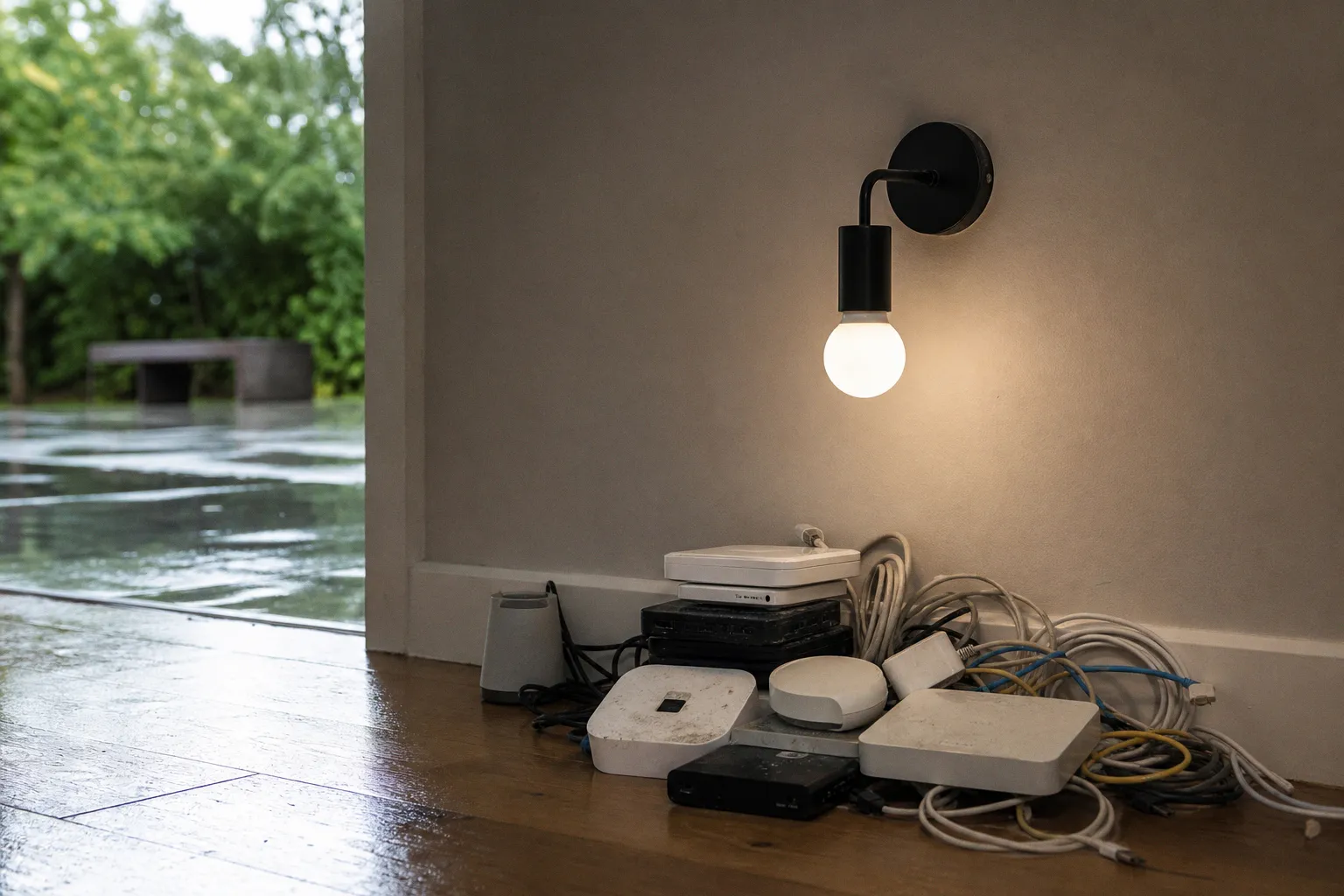
It worked, technically. It also produced the standard smart-home cabinet: a router, an Ethernet switch, two or three hubs, power adapters breeding like rabbits, and a troubleshooting ritual based on unplugging components in random order.
Thread changes the network model.
Thread is an open, IPv6-based mesh protocol designed for low-power smart-home devices. A Thread sensor, light, plug, or lock can participate in a mesh where mains-powered devices relay traffic for battery devices. There is no single proprietary “hub” that owns the radio network in the old Zigbee sense. Instead, the Thread mesh reaches the household’s normal IP network through a Thread Border Router, or TBR.
That border router can live inside hardware already sitting in the home:
- a Wi-Fi router;
- a smart speaker;
- a smart display;
- an ecosystem hub;
- potentially other always-on network gear with the right radio and firmware.
The key word is border. A TBR is a network edge device. It forwards traffic between Thread and the home’s IP network. It does not inherently decide that a hallway sensor should trigger the kitchen lights after sunset. Routing packets and evaluating automation logic are separate jobs, as they should be.
The old hub combined too much: radio gateway, rules engine, account anchor, cloud proxy, and vendor lock-in appliance. Thread decomposes that bundle. Network transport becomes shared infrastructure. Controllers run the logic. Devices communicate using IPv6 rather than pleading for access through a vendor’s private tunnel.
A proprietary hub was a toll booth. A Thread Border Router is plumbing. Plumbing is less glamorous—and dramatically more useful.
This is why the matter protocol smart home hub shift is easy to misunderstand. Matter is the application layer: the common language for device capabilities, commissioning, and control. Thread is one of the network transports Matter can use, alongside Wi-Fi and Ethernet. A Matter controller can manage devices across those transports. A Thread Border Router gives Thread devices a route onto the IP network.
Those roles overlap in some products, which is where the marketing fog rolls in. A smart speaker may be both a Matter controller and a Thread Border Router. But those are two software and network functions packaged in one enclosure, not one indivisible “hub replacement” feature.
Thread 1.4 attacks the fragmentation problem directly
Early Thread deployments made a classic smart-home mistake: they used an open protocol, then quietly re-created silos around it.
A household could have multiple Thread Border Routers from different ecosystems, each forming or favoring a separate Thread mesh. The hardware was capable of better behavior, but credential handling and cross-vendor coordination were inconsistent. The result was less catastrophic than proprietary Zigbee bridges, but still not the unified network buyers reasonably assumed they were purchasing.
Thread 1.4, released in September 2024, targets that failure with standardized Thread Credential Sharing.
In plain terms, compatible border routers can share the operational credentials needed to join one Thread network instead of spawning competing meshes. Apple, Google, Samsung, router vendors, and independent controller platforms no longer need to treat each other’s border routers as suspicious foreign infrastructure. They can participate in one fabric, provided the hardware and firmware actually support the specification.
Thread 1.4 makes credential sharing mandatory for Thread Border Router certification. That is the important part. Optional interoperability is how the industry got a drawer full of bridges in the first place. The Thread 1.3 border-router certification program is scheduled to sunset at the end of 2025, pushing the certification path toward the newer behavior.
Thread 1.4 also expands Thread over Infrastructure. Border routers can use Wi-Fi and Ethernet as infrastructure links to extend the mesh and synchronize configuration. That does not mean Thread devices suddenly transmit over Wi-Fi. Their low-power mesh remains Thread. The border routers use the existing high-bandwidth network to coordinate more effectively across a larger home.
Think of it as a multi-floor deployment done properly. A Thread device in an upstairs office should not need to depend on a fragile daisy chain of distant relay nodes if a nearby border router has an Ethernet backhaul to the rest of the network. The radio mesh handles local reach; the IP infrastructure keeps the network coherent.
Here is the practical difference between the old and emerging topology:
| Function | Dedicated proprietary hub | Thread 1.4-oriented setup |
|---|---|---|
| Low-power radio network | Owned by one vendor’s bridge | Shared IPv6 Thread mesh |
| Link to LAN | Usually through a single hub | One or more Thread Border Routers |
| Cross-brand expansion | Often requires another bridge | Possible within one mesh with compatible credential sharing |
| Automation execution | Commonly tied to vendor cloud or hub | Runs in a Matter controller or local platform |
| Failure domain | Hub outage can isolate its entire device fleet | Multiple border routers can provide network resilience |
| Long-term flexibility | Dependent on vendor gateway support | Built around IP networking and interoperable standards |
There is a caveat large enough to write on the side of a router box: Thread 1.4 is not retroactive sorcery. Legacy Thread 1.3 hardware will not necessarily gain the required behavior, and firmware rollout timing varies by manufacturer. Do not assume that every Thread logo in your house will merge into one happy mesh after an app update. Check the border-router software version, not just the product’s original launch spec.
Your router is becoming the quiet center of the house
For years, the smart-home “hub” was sold as a visible product category. It sat on a shelf and announced itself with an LED ring, a branded mobile app, and a monthly anxiety subscription disguised as remote access.
The smarter future is less theatrical. The hub function gets absorbed into infrastructure.
A good mesh Wi-Fi router already has the traits Thread wants from a border router: it is always on, centrally located, connected to the local network, and usually backed by Ethernet. Adding a Thread radio lets that router become a stable bridge between the low-power mesh and IPv6 LAN traffic. The same goes for smart displays, speakers, and other mains-powered devices distributed around the home.
This is not merely about reducing box count. It changes the reliability model.
A dedicated hub is a central point of failure with a brand-specific recovery path. If it loses its database, changes cloud policy, or receives a bad update, its device fleet can become decorative. In a properly deployed Thread network, multiple compatible border routers can provide paths to the same mesh. The network does not need to ask one branded appliance for permission to exist.
That said, do not confuse redundancy with immunity. Two Thread Border Routers placed next to each other in the same media cabinet are not a resilient deployment. They are two radios trapped inside a metal-and-cable noise cave. Spread them across the home where they can improve coverage and provide meaningful alternate paths.
A practical architecture looks like this:
1. Use Ethernet backhaul wherever it is available. A border router with wired LAN connectivity is not automatically “better” at Thread radio, but it removes Wi-Fi backhaul variability from the infrastructure side of the equation.
2. Place powered Thread routers in the mesh deliberately. Mains-powered Thread accessories can relay traffic; battery devices generally should not be expected to build your coverage plan. A few well-positioned plugs, bulbs, or in-wall devices beat a pile of battery sensors hoping for the best.
3. Keep the control plane local when possible. Let a Matter controller or a platform such as Home Assistant evaluate triggers locally. The payload should move across the LAN, not disappear into a cloud round trip because a sensor event needs to turn on a lamp.
4. Do not treat a smart speaker as network infrastructure by default. It may contain a border router, but its placement is dictated by audio habits, not RF design. If the speaker lives in one room and the Thread mesh needs coverage elsewhere, add infrastructure where the network needs it.
5. Audit which product is doing which job. “Matter-compatible” does not guarantee Thread. “Thread-enabled” does not guarantee local automation. “Hub” may mean controller, border router, cloud gateway, or all three. Vendor copy loves a blurry noun because blurry nouns sell boxes.
There is a useful analogy in the retro-gaming world. A local collection becomes manageable only when you choose the correct runtime and library structure rather than throwing files at the first launcher that opens. The same discipline applies here: understand the layer before you deploy it. Even a guide on how to pick the right Flashpoint version for a local game library lands on the same unglamorous truth—compatibility depends on the environment, not the label on the download button.
Smart-home vendors have spent a decade monetizing the opposite instinct: buy the branded thing, scan the QR code, and stop asking questions.
Border routing is not automation logic
This is the correction that needs to be welded onto every Thread explainer.
A Thread Border Router does not replace a smart-home controller.
It does not own your automation graph. It does not necessarily provide remote access. It does not interpret a condition like “if the bedroom window is open for five minutes and outside temperature falls below a threshold, pause the heating schedule and send a notification.” It routes Thread packets between the mesh and the local IP network.
The controller is where the logic gates live.
In an Apple Home deployment, that controller function belongs to the Apple ecosystem’s home hub and software stack. In Google Home, it sits in Google’s controller layer. In Home Assistant, it can run locally on your own hardware, with rules expressed as triggers, conditions, actions, and service calls. Matter allows these systems to speak to compatible devices, but it does not force them to expose every advanced feature or every vendor-specific data point.
That separation is healthy architecture.
| Layer | What it does | What it should not be asked to do |
|---|---|---|
| Thread device | Senses, switches, locks, measures, relays where applicable | Run your entire home’s automation policy |
| Thread Border Router | Bridges Thread mesh traffic to the IPv6/IP network | Replace a controller or cloud account |
| Matter controller | Commissions devices, exposes capabilities, runs or coordinates control | Act as the only radio gateway for every protocol |
| Automation engine | Evaluates triggers, conditions, schedules, webhooks, and actions | Depend on the internet for a local light switch event |
| Router/switch infrastructure | Provides LAN, Wi-Fi, Ethernet, multicast, addressability | Hide broken IoT segmentation behind “smart” branding |
The practical win is that these layers can evolve independently. You can change your automation engine without rebuilding the radio network. You can add a border router for coverage without migrating all your scenes. You can run a local controller while retaining selected cloud integrations for services that genuinely require them.
That is how systems avoid becoming hostage to a product sunset.
Local control is not a logo on the box. It is the ability to trace a trigger, inspect the payload, and prove that the action completes without asking a distant server for permission.
Matter helps, but it has not abolished vendor-specific behavior. A Matter bulb may expose on/off, dimming, color temperature, and color control consistently while withholding manufacturer-only effects. A sensor may map cleanly into one controller and arrive with limited properties in another. Interoperability is a floor, not a promise that every feature will be portable.
Still, a common transport and shared network plumbing are a major improvement over the previous default: buying an entirely separate bridge because one accessory speaks the wrong dialect.
The friction has moved upstream
The Thread story has a boring but decisive villain: implementation cost.
Matter certification can cost manufacturers upward of $12,000 annually through CSA membership, before counting testing, engineering time, firmware maintenance, support obligations, and the hardware cost of adding a Thread radio. A cheap Wi-Fi plug can piggyback on a mature radio stack and familiar manufacturing pipeline. A Thread device needs more integration work, more interoperability testing, and a credible update path.
This helps explain why Thread adoption has moved slower than the launch headlines suggested.
Manufacturers also have to deal with real network complexity. Thread 1.4 includes requirements around modern IPv6 networking behavior, including NAT64 support in relevant environments. That is excellent for a protocol designed around IP, but it means vendors cannot ship a radio module, slap “future-ready” on the packaging, and call it architecture. They need competent firmware and a support organization that understands what it deployed.
Then there is the legacy problem. Consumers do not replace every smart plug, thermostat, and speaker on a protocol version boundary. They accumulate mixed fleets over years. For a while, most homes will run a hybrid stack:
- Zigbee where an existing coordinator and mature device catalog still make sense;
- Z-Wave where regional frequency rules, lock support, or established installations favor it;
- Wi-Fi and Ethernet for cameras, displays, appliances, and high-throughput hardware;
- Thread for low-power Matter devices and future mesh expansion;
- one controller layer attempting to turn that pile into a coherent system.
That is not a failure of Thread. It is the migration reality. The mistake is expecting the protocol to erase history on day one.
The winning strategy is to stop buying hubs as emotional reassurance. Buy them only when they perform a specific function you cannot otherwise replace: a local radio coordinator for an existing fleet, a controller with the automation features you need, or a bridge for hardware that has no standards-based route into your stack.
Everything else should be judged as infrastructure. Does it keep working locally? Can it coexist with other border routers? Does it expose useful controls to the controller you chose? Does it survive an internet outage without turning your home into a showroom for dumb switches?
If the answers are fuzzy, the product is not smart. It is just connected to a marketing department.
The hub is dying, but the architecture is getting stricter
Dedicated hubs are dying because their original purpose—owning a proprietary radio island—is becoming harder to justify. Thread Border Routers, especially under Thread 1.4’s credential-sharing model, let the network become a shared utility rather than a branded chokepoint.
But the replacement is not a single miracle device. It is a cleaner division of labor: border routers handle transport, controllers manage devices, automation engines execute logic, and the local network carries the traffic.
That design demands more precision from buyers and more honesty from vendors. A Thread Border Router is not a controller. Matter is not a universal feature pass. Thread 1.4 compatibility is not guaranteed by an old Thread badge. And a cloud-dependent routine is still cloud-dependent, no matter how many standards logos decorate the setup screen.
The advanced configuration is straightforward: deploy compatible Thread 1.4 border routers where coverage needs them, give the infrastructure solid Ethernet or Wi-Fi backhaul, run automation logic locally, and treat every vendor cloud as an optional integration rather than the load-bearing wall.
That is the actual shift. Fewer sacred hubs. More visible network logic. And, if the industry behaves itself for once, far fewer plastic pucks demanding a reboot at 2 a.m.