Switch to Matter Hubs for Faster Local Smart Home Control
You tap the icon on your phone. Then you wait. Maybe two seconds, maybe three — long enough to wonder whether the command registered, short enough that you can't quite be sure anything went wrong.
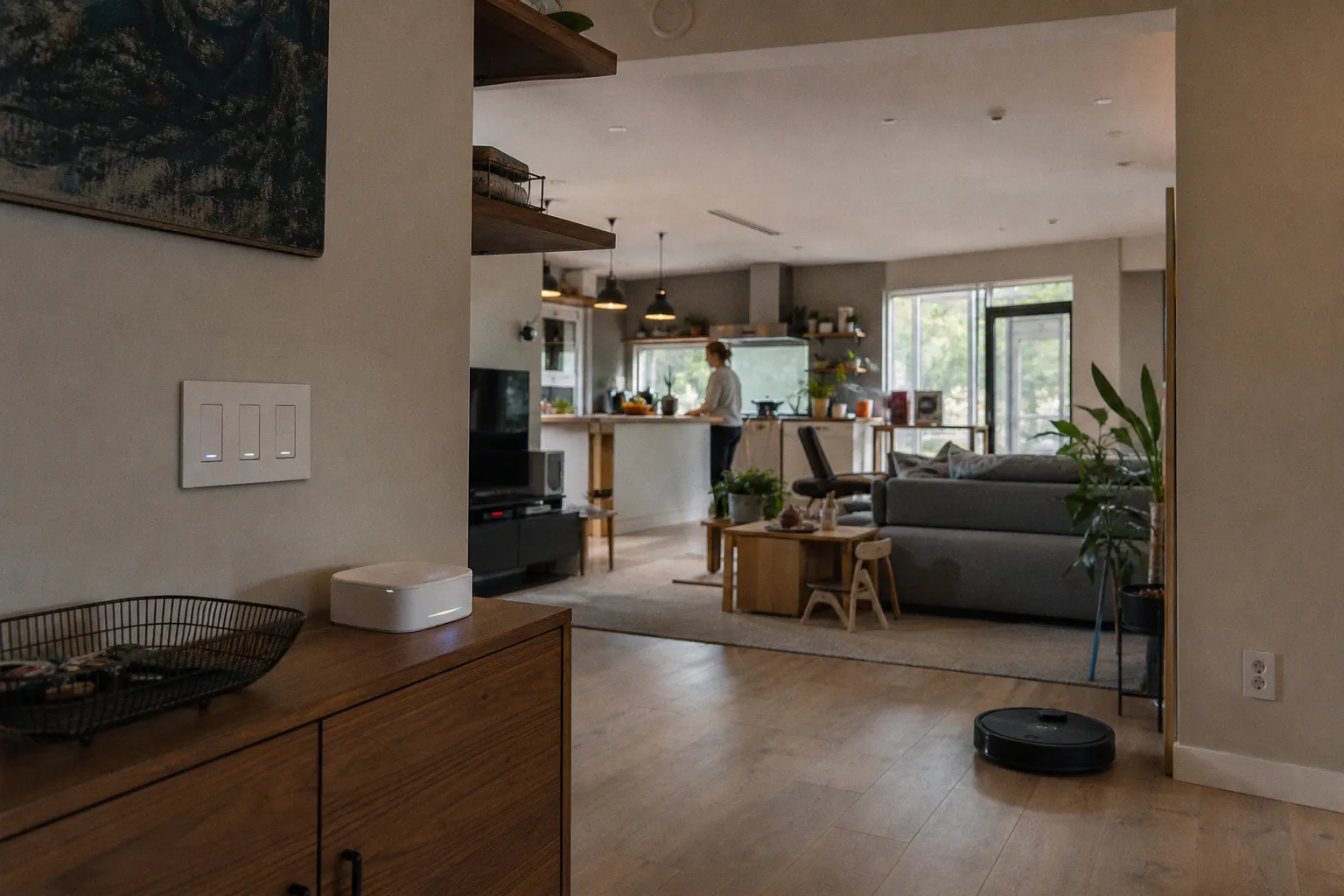
Switch to Matter Hubs for Faster Local Smart Home Control
The difference comes down to where the command is processed. Most older smart home setups rely on a vendor's cloud server: you tap, the signal travels from your phone out to the internet, lands on a server somewhere, and bounces back down to your bulb. Matter flips the script. It's a local-first protocol, which means commands are resolved inside your own network — over your Wi-Fi or a Thread mesh — rather than detouring through a remote data center. The result is response times that drop from "is it broken?" to under 200 milliseconds in everyday use. If you've ever tapped a HomeKit switch and felt the floor lamp respond before your finger left the screen, you've already experienced what local execution feels like. Matter just makes that experience portable across brands instead of locking it behind one company's ecosystem.
Cloud round-trips feel fine until you've lived with local control — then every second of lag becomes a small, recurring tax on your attention.
There's a real practical tax to the old model beyond simple annoyance. Cloud-dependent devices lose their brains when your internet goes down, which is precisely the moment you most want your hallway lights and front-door lock to cooperate. They also introduce a dependency you don't really see: a server farm in another time zone deciding whether your kitchen lights turn on at 6 a.m. Matter hubs keep the decision-making at home. Your smart home keeps working when your ISP doesn't, and your routines don't have to negotiate with someone else's maintenance window.
Thread Border Routers and the Role of IPv6 Infrastructure
The bridge between low-power devices and the rest of your network is called a Thread Border Router, and if you buy a Matter hub that supports Thread, you're getting one whether you asked for it or not. Thread is a low-power mesh protocol designed for things that sip battery life for years — sensors, door contacts, leak detectors, the small quiet devices that make a house feel attended-to without being chatty about it. A Thread Border Router translates that mesh traffic onto your Wi-Fi or Ethernet so your phone, voice assistant, and other higher-bandwidth gear can talk to it.
The whole stack runs on IPv6, which is worth mentioning not because you need to learn it, but because it explains why Matter feels different from older protocols. IPv6 gives every device a routable address, so packets travel directly between endpoints instead of being funneled through proprietary gateways that often double as compatibility bottlenecks. The practical effect is that your Thread temperature sensor and your Wi-Fi plug can both be controlled from the same app, at the same speed, without you needing to remember which protocol each one uses. They just live on the same network.
One thing to keep in mind is that Thread and Wi-Fi share the 2.4 GHz band, which means a crowded home network can affect both. A decent mesh Wi-Fi router, sensibly placed, helps both ecosystems breathe. It's not glamorous setup work, but it's the kind of quiet upkeep that pays back every time you walk into a room and the lights simply respond.
Multi-Admin Capabilities and Cross-Platform Interoperability
This is the part that genuinely changes the social contract of a smart home. Matter's Multi-Admin feature lets a single device be controlled by more than one ecosystem at the same time. A bulb on your hallway ceiling can be in Apple Home, Amazon Alexa, and Google Home simultaneously, with no separate bridges, no skill toggling, and no negotiating which platform gets to be "primary." Family members who prefer different voice assistants can each use their own, and the bulb doesn't care.
For someone who has rebuilt their smart home three times to escape vendor lock-in, this feels almost revolutionary in the boring, sensible way that mature technology eventually does. It's the same principle that has reshaped other corners of consumer tech — letting one standard unify services that used to live in silos — and the pattern plays out clearly across categories, including the way digital banking platforms now bring accounts from many institutions under one roof so customers aren't locked into a single provider. The pattern is the same: one standard, many surfaces, the user in the middle.
| Feature | Older ecosystem approach | Matter Multi-Admin |
|---|---|---|
| Bridges needed per ecosystem | One per platform (sometimes more) | One shared hub |
| Voice assistant compatibility | Usually one primary | Apple, Alexa, Google, SmartThings at once |
| Failure mode if vendor shutters | Devices orphaned | Local control continues |
| Setup for a new family member | New account, fresh pairing | Same device, same setup |
| Day-to-day app count | A small folder of vendor apps | Two or three, usually fewer |
The table above is shorthand for what the change actually feels like at home: less pairing, fewer extra apps, less clutter in your phone, more time spent using the devices instead of configuring them.
Integrating Legacy Zigbee and Z-Wave via Matter Bridges
Here's the friction nobody likes to talk about. Matter is a great leap forward, but it doesn't magically absorb every Zigbee and Z-Wave device already mounted in your walls and screwed into your sockets. Those older protocols still do real work, and ripping them out isn't realistic for most households. The good news is that you don't have to. A Matter Bridge — the Philips Hue Bridge and the Aqara Hub M3 are two common examples — translates the older protocol's traffic into Matter, so your existing bulbs, sensors, and switches keep working inside your new setup.
What you cannot do is assume that every Zigbee or Z-Wave hub you already own will simply gain Matter support through a software update. Many of those older hubs don't have the memory or processing headroom to handle the translation, which is a quietly frustrating reality that gets glossed over in product launches. The honest path is to check the manufacturer's compatibility notes before assuming your existing hub can be upgraded. If it can't, a dedicated Matter Bridge is usually inexpensive, fits on a shelf next to your router, and quietly does the translation work in the background without you needing to think about it.
For a household already deep into Hue bulbs or Aqara sensors, the bridge is genuinely the easiest path. You avoid the e-waste and the weekend of rewiring, and your existing automations keep running while the new Matter devices layer in alongside them. That's the kind of transition most people actually want: gradual, intuitive, and finished by Sunday dinner.
Expanding the Ecosystem with Matter 1.3 Standards
Matter launched on October 4, 2022 with the 1.0 release, and the protocol has been steadily maturing since. Matter 1.2 arrived in October 2023 and added support for nine new appliance categories including robotic vacuums and refrigerators. Matter 1.3, released May 8, 2024, expanded the list further with water management devices, EV chargers, and major appliances like microwave ovens and laundry dryers. That trajectory matters because every release makes the hub a more useful thing to own, not just a smarter way to control a handful of bulbs.
As of 2024, more than 2,000 products have been certified Matter-compatible. The number isn't just a marketing trophy — it means the devices you'd actually want to buy next year are increasingly likely to work with the hub you buy today. For a household planning a renovation or simply a slow upgrade of older gear, that forward compatibility is the kind of quiet investment that pays off over years rather than months.
A Matter hub isn't a finishing touch for your smart home — it's the part that makes every future device a little easier to live with.
There is one important caveat that often gets lost in the enthusiasm. Matter significantly reduces reliance on the cloud, but it does not eliminate the need for an internet connection entirely. Initial setup, firmware updates, and remote control when you're away from home still require connectivity. What changes is the everyday, at-home experience: that becomes fully local, fully fast, and no longer at the mercy of someone else's server.
So Who Actually Benefits From Switching
If your smart home is a handful of Wi-Fi plugs that mostly work and you rarely touch them, the upgrade case is mild. You'll notice faster response times, but the change won't reshape your daily life. If, on the other hand, you have a household where lights, locks, sensors, blinds, and voice assistants are woven into real routines — a kitchen that wakes up before you do, a hallway that knows when the kids get home, a leak sensor that texts before the floor warps — switching to a Matter hub is one of those rare upgrades that makes your home feel calmer instead of more complicated.
What I tell friends considering the move is this: pick a hub that doubles as a Thread Border Router, expect to keep one Matter Bridge in the corner for older Zigbee gear, and budget an afternoon for the kind of cleanup that consolidates ten half-finished apps into two or three. After that, the smart home stops being a project and starts being a house again.