Turn an iPad Into a Smart Home Hub with 5 Essential Steps
In December 2022, iPadOS 16.2 shipped with a quiet but consequential change: the iPad was removed from Apple's list of supported HomeKit hubs for the company's new Home architecture.
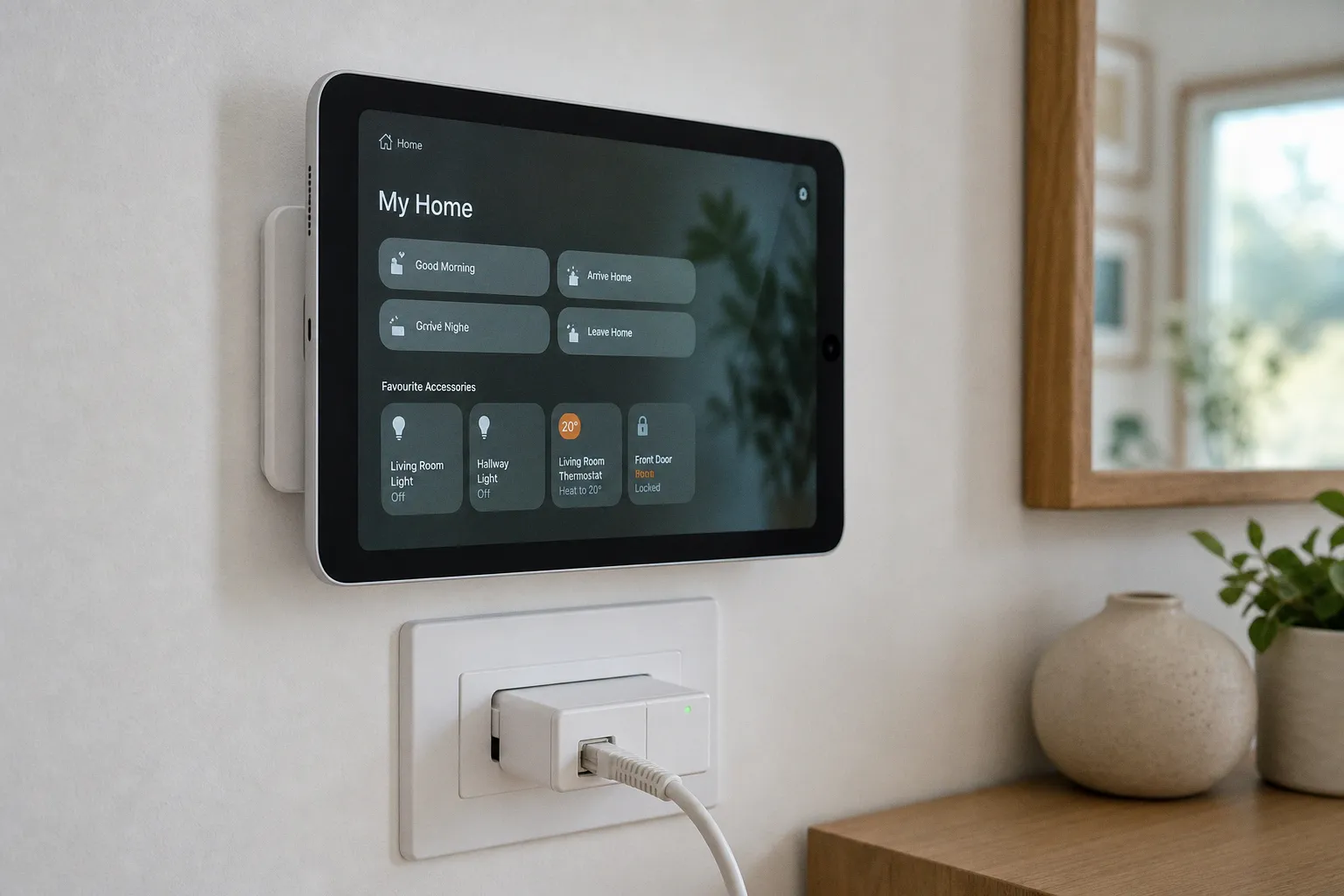
Turn an iPad Into a Smart Home Hub with 5 Essential Steps
The hardware itself was not downgraded. Millions of iPads sit in drawers with functional Wi-Fi radios, intact displays, and batteries that retain the majority of their original capacity. For users operating legacy HomeKit setups, or those willing to forgo Matter support entirely, the iPad retains the ability to function as a hub through a backdoor Apple left open: the legacy architecture toggle. Combined with Guided Access for interface lockdown and Power over Ethernet for reliable stationary deployment, the device becomes a viable wall-mounted control surface. The path is narrow, the limitations are structural, and the Matter gap is permanent.
The iPad was not downgraded. It was architecturally excluded. Matter support cannot be patched in, and Thread radios cannot be retrofitted through software.
The iPadOS 16.2 Architectural Shift
The new Home architecture, introduced in iPadOS 16.2 and refined throughout 2023, restructures how HomeKit automations are routed and how accessories communicate with controllers. Three structural changes define it:
- Matter 1.0, 1.1, and 1.2 protocol support is integrated at the controller layer, requiring hub hardware capable of negotiating commissioning flows with Matter-native accessories.
- Thread border router functionality is mandatory for accessories operating over Thread, a low-power IPv6 mesh protocol distinct from Wi-Fi and Zigbee. The router anchors Thread devices to the broader IP network.
- Improved automation reliability is achieved through a redesigned hub-to-cloud communication channel that prioritizes local polling where network conditions permit, reducing round-trip latency for time-sensitive triggers.
The iPad, regardless of model year, ships without a Thread radio. No iPadOS release will add one. The hardware lacks the silicon required to bridge Thread networks or to serve as a Matter controller at the protocol level. Apple's position, communicated through support documentation published in early 2024, is unambiguous: HomePod (1st and 2nd generation), HomePod mini, and Apple TV 4K (2nd and 3rd generation) are the supported controllers for the new architecture. The iPad has been formally deprecated for that role.
What persists is the legacy architecture path. iPads running iPadOS 15 or later retain the option to operate as a Home Hub under the older framework. The toggle exists, the functionality is intact, and Apple has not announced a removal date for the legacy setting. For users with HomeKit-only accessory fleets, this remains a working configuration.
Activating the Legacy Hub Toggle
The activation path is buried two layers deep in iPadOS settings. The procedure is undocumented in Apple's consumer-facing marketing but remains functional as of the current iPadOS release cycle:
1. The iPad must be signed into the same Apple ID as the primary iCloud account managing the Home setup. Managed Apple IDs and child accounts are excluded.
2. The device must remain powered on and connected to a 2.4GHz or 5GHz Wi-Fi network. Cellular-only operation is not supported for hub duty; the device must reach the local network continuously.
3. Settings → Home opens the Home configuration pane. At the bottom of the interface, the Use this iPad as a Home Hub toggle becomes visible once the prerequisites above are satisfied.
4. Toggling the switch registers the device with iCloud and initiates the hub authentication handshake. Verification typically completes within 30 to 60 seconds; the Home app on paired iPhones will display the iPad as an active hub under Home Settings → Hubs & Bridges, listed with its serial number and connection state.
Failure modes are predictable and well-documented in community troubleshooting threads. The toggle will not appear if iCloud Keychain is disabled, if two-factor authentication is not enabled on the Apple ID, or if the device is running an iPadOS version below 15. Wi-Fi networks using WPA3-Enterprise authentication have been reported to interfere with hub discovery in some configurations; WPA2-PSK or WPA3-Personal is recommended for reliable operation.
Power consumption during hub duty is negligible. The hub role is software-defined and adds approximately 0.5W to 1W of continuous draw on top of the iPad's idle baseline of 4W to 11W depending on display state and model. Total system draw ranges from 5W to 12W across the iPad lineup.
Locking the Interface with Guided Access
A wall-mounted iPad running the Home app is exposed to a recurring failure mode: accidental exits. Swipes reach the home screen, Control Center is pulled down, the app switcher is invoked. Over weeks of stationary operation, the probability of an unintended navigation event approaches certainty. Guided Access eliminates the variable by restricting the device to a single application with hardware-level lockdown.
The configuration sequence:
1. Settings → Accessibility → Guided Access enables the feature. A passcode distinct from the device unlock code is required to terminate sessions; this prevents circumvention by anyone with physical access to the iPad.
2. Within the Home app, triple-clicking the side button (on Face ID iPads) or the home button (on Touch ID models) initiates a Guided Access session overlay.
3. On-screen regions that should remain interactive are circled; touch input on the remainder of the display is disabled. For a fullscreen dashboard, the entire interface is locked.
4. Auto-Lock must be set to Never under Settings → Display & Brightness before Guided Access is engaged. The display will remain illuminated indefinitely until the session is manually terminated through the triple-click gesture and passcode entry.
The result is a hardened control surface. The Home app becomes the only reachable interface. The device cannot be navigated away from, restarted into another application, or accidentally switched off through the lock screen. For installations where the iPad is mounted at switch height in a hallway, kitchen, or entryway, this lockdown is not optional; it is structural.
Optimizing Power and Connectivity via PoE Adapters
Wi-Fi connectivity for a stationary hub introduces a reliability variable that wired Ethernet eliminates. iPads are not manufactured with RJ45 ports, but Power over Ethernet adapters designed for tablet deployment have proliferated since 2020. These devices split a single Cat5e or Cat6 cable into a Lightning or USB-C power feed and a wired network connection, allowing the iPad to operate with both stable data and continuous power without dependence on wireless signal quality.
The technical case is straightforward:
- Latency reduction: Wired connections eliminate the 5ms to 30ms jitter introduced by Wi-Fi retransmission cycles and channel contention. For a hub polling dozens of accessories at 1-second intervals, this jitter compounds across the automation pipeline.
- Bandwidth stability: A 2.4GHz Wi-Fi network shared with neighboring access points and IoT devices will experience contention events that drop packets; Ethernet operates on a dedicated physical medium with collision detection rather than avoidance.
- Power consolidation: PoE switches deliver up to 15.4W per port under the IEEE 802.3af standard, sufficient for any iPad model's 5W to 12W draw. The 802.3at (PoE+) standard provides up to 30W per port, offering headroom for adapters with passthrough USB ports.
Installation requires a PoE switch or mid-span injector at the network source, a Cat5e or Cat6 cable run to the iPad mounting location, and a compatible adapter at the device end. The cable is typically routed through the wall cavity to the adapter, which sits within 100mm of the iPad's charging port. The trade-off is installation complexity; retrofit scenarios require cable fishing, possible drywall repair, and verification that the PoE source can deliver adequate wattage over the cable distance.
For users comparing hub hardware options directly, the following table summarizes the architectural capabilities of each supported and legacy controller:
| Parameter | iPad (Legacy Hub) | HomePod mini | Apple TV 4K (3rd gen) |
|---|---|---|---|
| Matter Controller | No | Yes (Matter 1.0+) | Yes (Matter 1.0+) |
| Thread Border Router | No | Yes | Yes |
| Display | Yes (touchscreen) | No | Yes (HDMI out) |
| Power Draw | 5W–12W | ~3.5W | ~6W (active) |
| Wall-Mountable | Yes (with bracket) | No | No |
| Automation Routing | Local + cloud | Local + cloud | Local + cloud |
| Cost (approx.) | $0 (existing device) | $99 | $129–$199 |
The iPad's column reflects the legacy configuration. It is the only option in this comparison that provides a built-in touchscreen at a wall-mountable form factor. It is also the only option that lacks Matter and Thread support.
Customizing the Visual Experience with Third-Party Dashboard Apps
Apple's native Home app is functional but visually constrained. Tiles are uniform in size, layout options are limited to a fixed grid, and customization of the dashboard surface is minimal. For users deploying an iPad as a permanent control panel, third-party applications extend the interface considerably beyond what Apple ships.
Two applications dominate this category:
- HomeDash provides a grid-based dashboard with custom icons per accessory, real-time sensor readings displayed numerically, and configurable widget blocks for temperature, humidity, and energy consumption. Local network polling is supported, reducing cloud round-trips for routine status updates.
- Vizualize focuses on aesthetic customization, offering floor plan overlays with device pins, room-based grouping with color coding, and dynamic theming tied to time of day or occupancy state.
Both apps interface with HomeKit through the public API and operate locally where network conditions permit. Cloud dependency for routine status queries is minimized; the dashboard rendering itself does not require constant internet connectivity, though automation triggers and firmware updates still route through Apple's servers.
Critical limitation: the Matter gap persists regardless of the front-end application selected. The iPad cannot serve as a Matter controller under either the legacy or the new Home architecture. Third-party apps display HomeKit accessories accurately but cannot onboard Matter-native devices such as Thread-based sensors or Matter-compliant smart plugs. Users with mixed-protocol ecosystems should factor this constraint into the deployment decision before committing to the configuration.
No dashboard app resolves the hardware limitation. The iPad's radio inventory is fixed at manufacture. Software can only present data from protocols the silicon can receive.
Final Verdict
The iPad-as-hub configuration is a viable path for a narrow user segment. The hardware is capable, the legacy toggle is functional, and the PoE-plus-Guided Access combination produces a reliable wall-mounted control surface. The Matter exclusion is the binding constraint, and no amount of software configuration will bridge it.
Use the iPad as a hub if:
- The accessory fleet is HomeKit-only, with no current or planned Matter devices within the deployment window.
- A wall-mounted touchscreen dashboard is the primary requirement, and HomePod or Apple TV pricing represents a barrier.
- An existing iPad with a functional display, battery, and Wi-Fi radio is available; no new hardware purchase is required.
- The user is willing to forgo Thread border router functionality for low-power mesh sensor communication.
Skip the iPad configuration if:
- The Home setup has migrated to the new Home architecture; the legacy toggle will not appear and the device will not register as a hub.
- Matter or Thread accessories are present or anticipated within the device lifecycle. The exclusion is permanent.
- A Thread border router is required for battery-powered sensors. The iPad cannot fill this role under any iPadOS version.
The underlying logic, extracting additional utility from existing hardware before it reaches end-of-life, mirrors the consolidation patterns seen in digital banking platforms where a single interface aggregates functions that previously required separate tools. For the correct user profile, the iPad becomes a competent, low-cost smart home control surface. For anyone invested in the Matter ecosystem or running the new Home architecture, the architectural gap is unbridgeable and the configuration will fail to register. The decision is binary: deploy or skip.