Managed Switches: Are They Worth It for Smart Homes?
A smart home can feel perfectly calm until one small network problem turns the evening into a scavenger hunt: the camera has gone offline, the kitchen speaker cannot see the lights, and the…
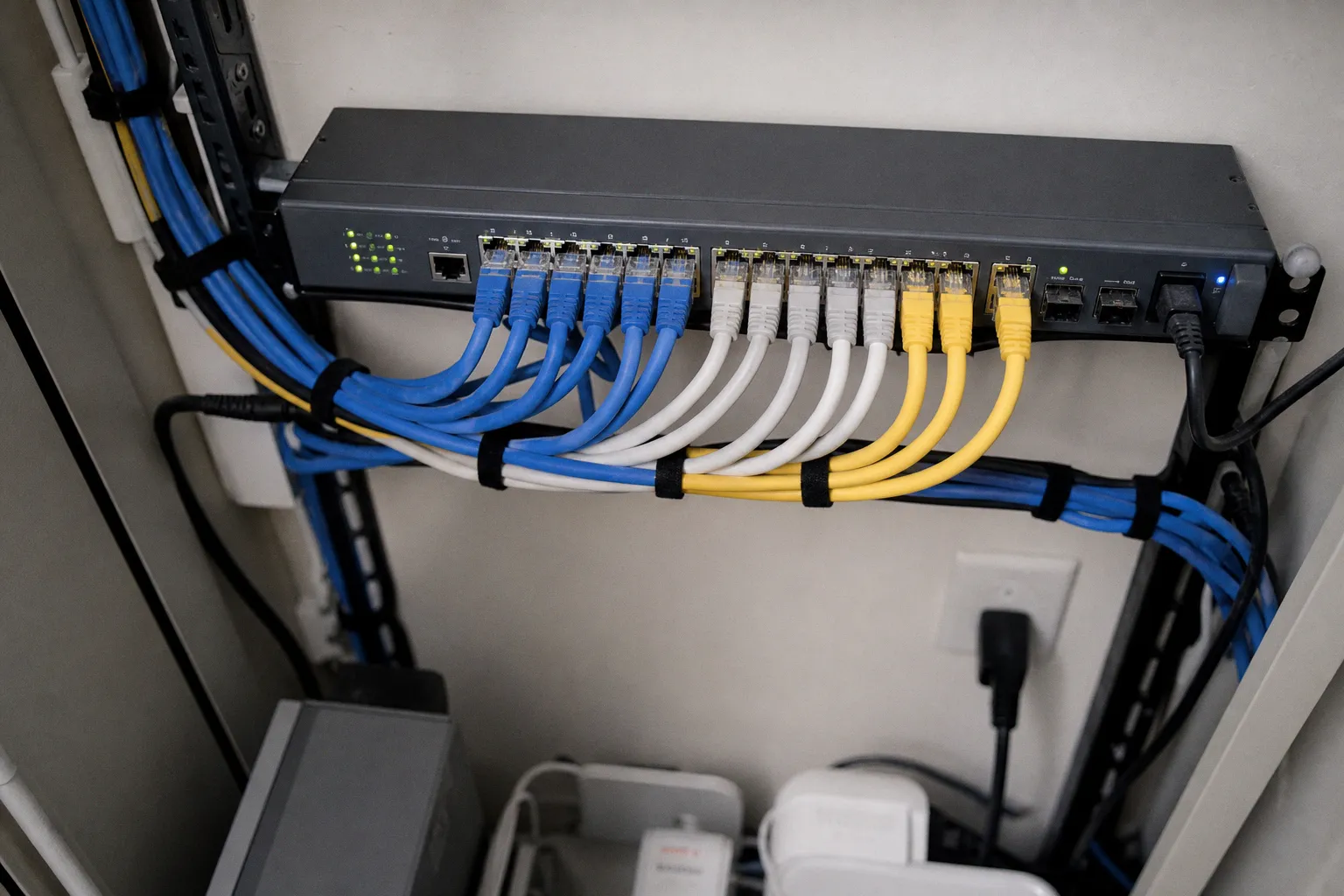
A smart home can feel perfectly calm until one small network problem turns the evening into a scavenger hunt: the camera has gone offline, the kitchen speaker cannot see the lights, and the thermostat app is insisting everything is “unavailable” while the Wi-Fi itself looks fine. At that point, adding another cheap switch under the TV stand is not really a solution. It is just more blinking clutter.
That is where the managed switch smart home necessity question becomes practical rather than nerdy. A managed switch is not required for a home with a few bulbs, a doorbell camera, and one smart speaker. An unmanaged switch will move traffic between wired devices without asking anything of you, and for many households that is exactly right.
But once your home has several cameras, access points, hubs, wired media devices, a Home Assistant box, or a growing pile of inexpensive IoT gear, a managed switch can become the quiet piece of infrastructure that keeps everything from stepping on everything else. Its real value is not faster internet. It is control: separating devices, delivering power where you need it, and giving you a way to see what is happening when the smart home starts behaving strangely.
A managed switch does not make a smart home more impressive. It makes a busy smart home less fragile.
The point of a managed switch is separation, not speed
The managed vs unmanaged switch IoT comparison gets muddled because both products can look nearly identical: a small metal or plastic box with five, eight, or more Ethernet ports. Plug in a cable, and both kinds of switch can connect your TV, hub, camera recorder, desktop computer, or Wi-Fi access point.
The difference appears when you want those devices to follow different household rules.
An unmanaged switch has no real opinion about what you connect. It forwards network traffic and generally needs no setup. That simplicity is useful in a quiet corner of the house: perhaps you need extra ports for a game console, Apple TV, and television. If all three devices belong on the same home network, an unmanaged switch is tidy, affordable, and entirely adequate.
A managed switch lets you decide which ports belong together, which devices should stay apart, and what traffic should be allowed to pass between those groups. This is usually done with VLANs, or virtual local area networks, using the IEEE 802.1Q standard.
In a practical smart home network switch setup, you might create:
- a main network for laptops, phones, tablets, and personal storage;
- an IoT network for plugs, bulbs, robot vacuums, appliances, and other connected household devices;
- a camera network for security cameras and an NVR;
- a guest network for visitors who need Wi-Fi but do not need a view into your home’s devices;
- a management network, if you are comfortable keeping routers, access points, and network controls separate from everyday devices.
That does not mean every smart bulb needs to live in a fortress. The point is to reduce unnecessary reach. If a low-cost connected gadget is compromised, an IoT VLAN can stop it from casually reaching the laptop where you work, your personal files, or the network equipment that runs the house.
A managed switch handles the wired side of that arrangement. Your router or firewall still needs to decide how those VLANs can communicate with each other, but the switch is what carries the separate lanes through your home without requiring a separate physical cable for every network.
VLANs are useful when the house has outgrown “everything on one network”
The appeal of IoT network segmentation is easy to understand once you picture a typical utility cupboard or office corner. There may be one cable running to an upstairs access point, another to a garden office, and another to a small switch near the TV. You do not want to run four new cables just because you now have four network groups.
A managed switch can use VLAN trunking to carry tagged traffic for multiple VLANs across one Ethernet link. At the far end, another compatible managed switch or access point can sort the traffic back into the right lanes. It is a clean way to expand without turning cable management into a permanent weekend project.
| Household need | Unmanaged switch | Managed switch |
|---|---|---|
| Add ports for a TV, console, and streaming box | Excellent, plug-and-play | Works, but offers little extra benefit |
| Keep IoT devices separate from personal computers | Cannot create true isolation | Supports VLANs using IEEE 802.1Q |
| Run several network groups over one cable | Cannot manage tagged traffic for isolation | Supports VLAN trunking |
| Power cameras or access points through Ethernet | Only on specific basic PoE models, with limited control | PoE models can manage ports and power use |
| Restrict a physical Ethernet port | No meaningful control | Can apply access rules by MAC address or IP range |
| Diagnose a complicated wired smart-home layout | Minimal visibility | Gives settings and traffic controls to investigate problems |
There is one catch worth saying plainly: VLANs are not a “turn it on and relax” button. They are a small networking project. Your router, switch, and Wi-Fi access points all have to agree about which VLAN is which, and your smart-home controller needs permission to reach the devices it is meant to control.
If the thought of assigning port profiles and firewall rules already feels like a chore you will resent, do not buy a managed switch simply because smart-home forums make it sound compulsory. A well-maintained simple network is better than an elaborate one nobody in the household can confidently fix.
PoE is often the feature you will appreciate every day
For many homes, Power over Ethernet is the most immediately helpful reason to move to a managed switch. PoE sends network data and electricity through the same Ethernet cable, so an access point, camera, hub, or other compatible device can work without a separate power outlet beside it.
That changes the shape of an installation in very ordinary, satisfying ways. A ceiling-mounted Wi-Fi access point no longer depends on a dangling power adapter. A camera by the garage can be placed where it sees the driveway rather than where an outlet happens to exist. A hub can sit neatly in a cupboard with the router instead of occupying a socket in the kitchen.
PoE and PoE+ are commonly associated with IEEE 802.3af and 802.3at. Under 802.3at, a port can provide up to 30 watts, enough for many access points, IP cameras, and small smart-home devices. Entry-level PoE switches often have a total power budget around 120W, but that overall budget matters more than the big number printed beside any individual port.
If you install four cameras, two access points, and a video doorbell bridge, add up what those devices may draw rather than assuming every port can deliver its maximum at the same time. A switch with eight PoE ports is not automatically a switch that can comfortably power eight power-hungry devices.
PoE removes adapters, but it also asks for a little planning
I find PoE most worthwhile when it removes the kind of household friction that keeps a project half-finished: one extension lead too many, a power brick hanging behind furniture, or a camera positioned poorly because the nearest outlet is in the wrong place.
Before choosing a PoE managed switch, map the devices you actually plan to wire:
1. Start with devices that benefit from placement freedom. Ceiling access points and outdoor or high-mounted cameras usually come first. They are the devices most awkward to power conventionally.
2. Check the total power budget, not just the number of ports. A 120W budget is generous for a modest setup, but it is not an unlimited pool. Leave breathing room rather than planning around the absolute maximum.
3. Count the cables honestly. PoE makes one cable do two jobs, but you still need that cable routed to each device. This is easiest during renovation, but surface trunking and careful runs along skirting boards can still make a finished home look calm.
4. Choose the right port speed for the rest of your network. A basic gigabit PoE switch is ample for many smart-home installations. Faster switching capacity is useful for particular wired workloads, but it will not magically make your internet connection faster.
5. Keep one simple recovery path. Label the switch, cables, and power supply. When a camera disappears at 9 p.m., you should not have to pull every plug in the cupboard to work out which one feeds it.
A managed PoE switch can also let you control individual ports. That is helpful when one camera needs a restart and you would rather not power-cycle the entire switch, taking down your access points and every other wired device along with it.
The best smart-home hardware is often the hardware you stop noticing because it has removed three separate plugs, adapters, and little failure points.
Matter, HomeKit, and the multicast setting that can make everything disappear
This is the part that catches out confident DIY network builders, because it sounds like a sensible optimization.
Matter and Thread rely heavily on IPv6 multicast DNS, commonly called mDNS, for device discovery. Apple HomeKit also depends on multicast discovery in many everyday situations. This is how a controller, hub, phone, or accessory finds the other parts of your home without you manually typing addresses into an app.
mDNS uses UDP port 5353. You do not need to memorize that number to run your home, but it explains why discovery can be the first thing to fail after a switch configuration change. The bulbs may still have power. The controller may still be connected. Yet the app says it cannot find anything.
The likely culprit is often IGMP or MLD snooping.
On a managed switch, snooping is meant to limit multicast traffic so it does not wash across every port unnecessarily. In the right network, it can be useful. But Matter and HomeKit are not a place for blind optimism. If IGMP/MLD snooping is enabled without an active multicast querier, the switch can eventually forget which ports need multicast traffic and stop forwarding the mDNS packets required for discovery. The result is familiar and maddening: accessories that show “no response,” devices that vanish after being reliable for days, or subscriptions that time out.
This is why I would not treat an advanced switch setting as automatically better just because it has a reassuring name.
Keep your first setup boring
If you are introducing a managed switch into an existing smart home, begin with the least complicated working configuration you can manage. Confirm that Matter devices, HomeKit accessories, cameras, hubs, and apps all behave normally. Only then add segmentation and traffic controls one layer at a time.
A calm approach looks like this:
- Put the managed switch in place and confirm ordinary wired devices work.
- Add your IoT VLAN and confirm the smart-home controller can still reach the devices it controls.
- Test discovery, not only basic connectivity. Pair a new accessory if you can, open the relevant app, and make sure controls respond after a few minutes rather than only immediately after a restart.
- Be cautious with IGMP and MLD snooping. If you enable either, make sure your network has an active multicast querier and test Matter and HomeKit carefully afterward.
- Change one setting at a time, then leave the system alone long enough to see whether dropouts emerge.
If devices span VLANs, you may also need an mDNS reflector or repeater on the router or firewall so discovery can cross the network boundaries you have created. That is normal, not a sign that the VLAN idea was wrong. Segmentation deliberately prevents broad traffic from flowing everywhere; discovery needs a controlled exception.
The goal is not to create a network where every device talks to every device. It is to allow exactly the small set of conversations your household needs: your phone and controller reaching the lights, your camera recorder reaching the cameras, and perhaps your voice assistant reaching the devices it is responsible for.
Resilience matters when the switch becomes part of the household’s plumbing
Once a managed switch is carrying your cameras, wired hubs, access points, and media gear, it starts to feel less like an accessory and more like plumbing. You do not think about it on a good day. You certainly notice it when it fails.
Managed switches support Spanning Tree Protocol (STP) and Rapid Spanning Tree Protocol (RSTP), which are designed to prevent network loops and offer failover pathways where there is more than one possible connection between network devices.
A loop can happen more easily than people imagine. Someone plugs both ends of a spare cable into wall ports that eventually lead back to the same switch. A second switch is connected twice because the cables were already there. A mesh or access-point setup is rearranged without a clear map of what is wired where. Suddenly the network is flooded with repeated traffic and the whole house feels broken: streaming stalls, cameras disconnect, voice commands lag, and even a simple webpage may crawl.
RSTP can respond more quickly than older STP approaches when it detects redundant paths. You do not need a redundant cable layout in every house, and I would not encourage building one just for the pleasure of owning advanced equipment. But if you have a larger home, a detached workspace, or multiple switches linked through structured cabling, loop protection is a genuinely useful safety net.
It is also one of those features you hope never becomes the headline act. That is a compliment.
Port controls are helpful when cables are accessible
Wireless security gets most of the attention, but a live Ethernet port in a study, guest room, or shared workspace is still a physical way onto your network. Managed switches can apply Access Control Lists, or ACLs, based on MAC addresses or IP ranges. In plain household terms, that lets you restrict what may use a particular wired connection or what a device is allowed to reach.
This is more relevant in some homes than others. If all your equipment is tucked in a locked cupboard and every cable runs inside the walls, you may never touch an ACL. But if you have Ethernet ports in public-facing rooms, rental spaces, a garden office, or an area where lots of devices are connected and disconnected, the control is reassuring.
It can also help with the less dramatic problems: an old device that should not be able to see your personal computers, a spare port you want reserved for one purpose, or a wired IoT bridge that does not need broad access across the network.
The trick is to use these controls as tidy boundaries, not as an excuse to create a maze. Document what you change. A small label inside the network cabinet saying “Port 5: camera VLAN” is more valuable than the most elegant configuration that only makes sense to you on a very specific Saturday afternoon.
So, do you need a managed switch for a smart home?
For a basic household setup, probably not. If your smart devices connect over Wi-Fi or through a single hub, and you only need a couple of extra Ethernet ports for entertainment equipment, an unmanaged switch is the sensible purchase. It is inexpensive, quiet, and almost impossible to overcomplicate.
A managed switch starts to earn its place when your smart home has enough wired infrastructure that a single flat network feels careless or inconvenient. That usually means several cameras, wired access points, multiple hubs, a home server or local controller, or a real desire to keep IoT devices away from personal devices. Add PoE to that list if you are tired of hunting for outlets and dealing with adapter clutter.
I would also be honest about the trade-off: a managed switch gives you better control, but it gives you more responsibility. VLANs need a plan. Multicast settings need restraint. Matter and HomeKit especially need testing after you alter anything related to discovery traffic.
The right purchase is not the switch with the longest feature list. It is the one that fits the quiet routines of your home: enough ports for what is wired today, enough PoE for what you will mount tomorrow, and enough management to create sensible boundaries without turning every lightbulb into an IT support ticket.