Kasa smart bulb: is it still worth the investment?
A Kasa smart bulb can still turn on at sunset, fade a bedroom from cool white to amber, and answer an Alexa command without drama. That is not the problem.
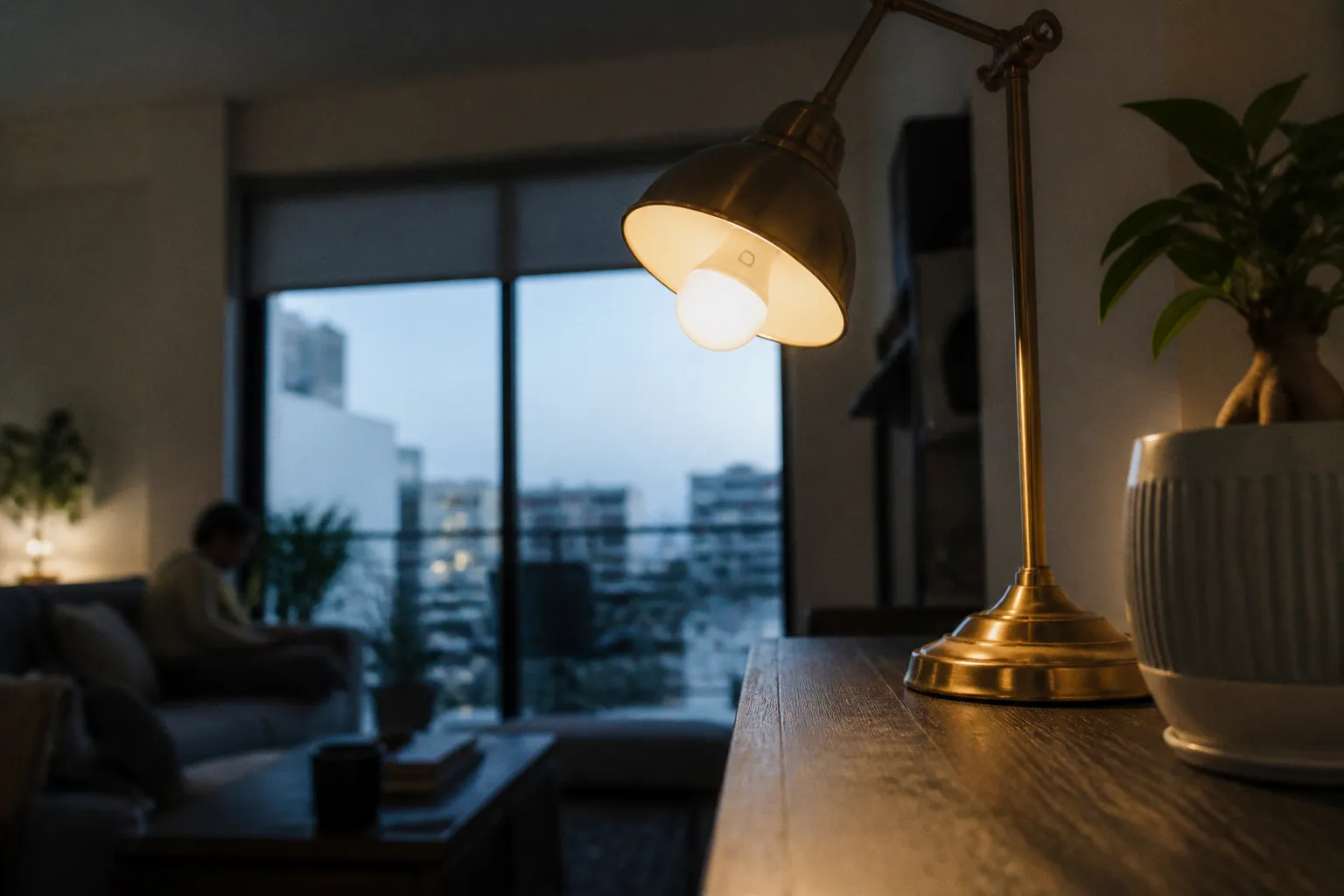
The problem is the moment you try to make that bulb part of a lighting system you intend to keep for five years.
TP-Link’s own lifecycle list puts several of the most recognisable Kasa bulb models beyond end-of-life: KL125 V2 and V3, KL130 V2, and KL135 V1. Yet Kasa KL125 listings remain visible in the company catalog and on retailer shelves. This is the usual smart-home trap: availability looks like support, and a low clearance price looks like value. Neither is a protocol.
For an existing TP-Link Kasa ecosystem, a discounted bulb may still be a perfectly rational replacement part. For a new installation built around interoperability, local control ambitions, and Matter-era flexibility, it is a different calculation. The Kasa smart bulb is no longer simply a bulb choice. It is an architecture choice with a shrinking runway.
The lifecycle reality: Kasa’s EOL label changes the equation
End-of-life does not mean a bulb turns into a pumpkin at midnight. The KL135 does not suddenly forget its Wi-Fi credentials, and an EOL KL125 can still execute schedules already stored through the Kasa stack. What it means is more structural: the vendor has moved that hardware out of its active product lifecycle.
TP-Link’s U.S. end-of-life documentation lists:
- Kasa KL125 V2 and V3 as EOL from July 11, 2024.
- Kasa KL130 V2 as EOL from July 11, 2024.
- Kasa KL135 V1 as EOL from July 28, 2025.
The documented action is to contact TP-Link for a replacement. That wording matters. It does not promise future firmware releases, protocol upgrades, indefinite app compatibility, or a migration bridge to whatever comes next.
This is where product pages become actively unhelpful. A Kasa KL125 can still appear in a current catalog with familiar bullet points — A19 shape, E26 base, 16 million colors, tunable white, 800 lumens. Those specifications describe what the bulb does electrically. They do not describe where it sits in the vendor’s support queue.
A smart bulb is not a toaster. Its useful life is mediated by account systems, mobile apps, home-network changes, voice-assistant integrations, and vendor decisions about APIs. The LED package may have plenty of life left while the software layer becomes the weak joint.
A cheap EOL bulb is only cheap if it does not force you to rebuild the room around it later.
There is one legitimate case for buying one: you already run Kasa bulbs, you need the same physical format or optical behavior in one fixture, and you are consciously buying a spare rather than starting a platform. That is maintenance inventory. It is not an investment in a modern lighting system.
KL135 versus KL125: capable hardware, increasingly awkward timing
The frustrating part is that the Kasa bulb hardware is not inherently weak. The KL135, in particular, is a competent high-output Wi-Fi color bulb on paper. It is an A19 bulb with an E26 base, typical output of 1,000 lumens, and a dimming range from 20 to 1,000 lumens. It supports adjustable white from 2,500K to 9,000K and draws 10.8W at 120V/60Hz.
That 9,000K ceiling was unusually useful for functional lighting. Many consumer bulbs treat “daylight” as a cosmetic setting; the KL135 could produce a genuinely cool, high-alert work light before dropping into warmer evening automation. Its typical 220-degree beam angle also makes it more practical in open fixtures than bulbs that create a bright spot and a gloomy ceiling.
The KL125 is the more familiar all-rounder: 800 lumens, A19/E26 format, color support, and white adjustment from 2,500K to 6,500K. It is less muscular than the KL135, but 800 lumens is enough for lamps, bedside fixtures, small pendants, and multi-bulb ceiling installations where several endpoints share the load.
| Parameter | Kasa KL125 | Kasa KL135 |
|---|---|---|
| Typical brightness | 800 lumens | 1,000 lumens |
| White-temperature range | 2,500–6,500K | 2,500–9,000K |
| Form factor | A19 / E26 | A19 / E26 |
| Network | 2.4GHz Wi-Fi | 2.4GHz Wi-Fi |
| Hub required | No | No |
| Power draw | Not established in the reviewed material | 10.8W |
| Lifecycle signal | KL125 V2/V3 listed EOL | KL135 V1 listed EOL |
The trade-off starts with the radio. Both models use 2.4GHz 802.11b/g/n Wi-Fi and do not need a separate hub. That sounds liberating until a room contains ten bulbs, two light strips, a few plugs, cameras, speakers, and every other device that marketing departments have decided needs an IP address.
A hubless setup removes one box. It does not remove complexity; it distributes that complexity across your access points, DHCP table, Wi-Fi airtime, cloud account, and vendor app. A single Kasa bulb is trivial. Twenty Wi-Fi endpoints plus a mesh network that band-steers poorly is where “simple” begins charging interest.
Kasa smart lighting features remain useful at the device layer:
- Scheduled on/off events and timers work well for predictable routines.
- Adjustable whites can support a practical day/evening lighting pattern rather than a permanent blue-white default.
- Color scenes are adequate for accent fixtures, TV bias lighting, and occasional mood automation.
- Alexa, Google Home, SmartThings, and other third-party service connections give the bulbs a route into a broader setup.
- Remote control is convenient, provided the account, app, and cloud plumbing remain intact.
The catch is that these are features exposed through an ecosystem, not permanent properties of the bulb’s LEDs. The hardware can emit 1,000 lumens. Whether your preferred controller can request precisely 37% brightness at 3,800K after the next platform transition is a separate question.
The tp-link kasa ecosystem has a protocol problem
Kasa spent years building a reasonably approachable Wi-Fi smart-home lineup. Plugs, switches, dimmers, cameras, and bulbs established a recognizable app and account layer. If everything is already inside that layer, Kasa can feel coherent enough.
But coherence is not interoperability.
The industry’s current direction is Matter: a common application layer intended to reduce the old ritual of asking whether a device needs this hub, that cloud account, a particular voice assistant, or an unofficial integration that breaks when someone changes authentication. Matter does not eliminate every compatibility problem — nothing that involves consumer Wi-Fi gets that privilege — but it changes the default question from “does this brand talk to my home?” to “does this device expose a usable standard interface?”
TP-Link’s current Matter-certified smart-lighting entry is the Tapo L535E V3. In Kasa’s visible Matter lighting-control lineup, the emphasis is on switches and dimmers rather than bulbs. That distinction is the whole story.
Do not read “TP-Link supports Matter” as “my Kasa smart bulb supports Matter.” Brand-level claims are architectural fog. Verify the exact SKU and hardware revision. A Kasa-branded switch may fit a Matter deployment while the Kasa bulb sitting beside it does not.
The legacy-app situation adds another wrinkle. The current Kasa Smart iOS listing still explicitly names several legacy bulb families, including LB-series bulbs and KL50, KL60, KL110, KL120, KL125, and KL130. That suggests the app continues to recognize a broad installed base. But the same published compatibility list does not name KL135.
That is not proof that every KL135 has stopped working. It is not a declaration that app control has ended. It is simply the kind of ambiguity you should refuse to build a new system around.
A lighting platform should have clean control paths:
1. Direct device control for immediate actions: on, off, dim, color temperature, scene recall.
2. Automation control for triggers: time, occupancy, media state, alarm state, door sensor, lux level.
3. Fallback control that still works when the cloud, phone, or a vendor integration is having a character-building day.
4. Migration control so one retired product does not force a room-by-room teardown.
Legacy Kasa bulbs can satisfy the first two layers inside the Kasa app and connected assistant services. They are less persuasive on the last two. Matter-capable lighting, particularly when paired with standards-aware controllers, gives a new system a more defensible migration path.
Kasa vs. Tapo bulbs is not just a brand comparison
Kasa versus Tapo bulbs looks like a sibling rivalry from the same manufacturer. In practice, it is a timing question: which product line is aligned with TP-Link’s current roadmap, and which one is being carried forward mostly by its installed base?
Tapo is where TP-Link’s current smart-lighting product development is visibly concentrating. The Tapo L535E V3 appears on the company’s Matter-certified list. That does not automatically make every Tapo bulb a universal recommendation — again, SKU and hardware revision first, logo second — but it gives a new buyer a clear verification target.
| Decision point | Legacy Kasa bulb | Current Matter-oriented Tapo bulb |
|---|---|---|
| Entry path | Kasa app, 2.4GHz Wi-Fi, linked services | Depends on model; verify Matter certification and controller support |
| Long-term signal | Several major bulb variants are EOL | Current Matter lighting model is listed by TP-Link |
| Ecosystem strategy | Best for maintaining an existing Kasa deployment | Better starting point for a multi-platform setup |
| Automation portability | Tied more closely to Kasa/cloud integrations | Matter can reduce vendor-specific control dependencies |
| Purchase logic | Replacement stock or short-term tactical use | New installation where future interoperability matters |
There is also a physical-control argument here. A smart bulb behind a dumb wall switch is a logic gate with someone else holding the input. Someone flips the switch off, the bulb loses power, and every beautiful automation becomes an incident ticket.
If you are designing a room rather than buying a one-off lamp bulb, decide which endpoint owns dimming:
- Use smart bulbs where color, adjustable white, individual fixture control, or scene-level segmentation actually matters.
- Use smart dimmers or switches for conventional white bulbs, high-load ceiling circuits, and rooms where everyone expects the wall control to behave like a wall control.
- Use both carefully only when the switch can preserve power to the bulb or is designed for smart-bulb mode.
This is where Kasa still has a useful role. TP-Link’s Kasa switches and dimmers can be valuable components in an existing setup, and some current Kasa control products appear in Matter-related categories. The correct response to an aging bulb line is not necessarily “burn down the whole Kasa stack.” It is to stop treating every device with the same logo as equal in lifecycle terms.
The smart-home stack is only as modern as the least replaceable protocol in the room.
Cloud dependency is the quiet risk, not the Wi-Fi radio
People often frame kasa smart bulb reliability as a question of whether the bulb disconnects from Wi-Fi. That is the visible failure. The deeper reliability question is how many systems need to agree before your automation runs.
For a legacy cloud-connected bulb, the chain can include:
- The bulb’s Wi-Fi association.
- Router behavior on the 2.4GHz band.
- DHCP and local network stability.
- The vendor account and mobile app.
- A cloud service handling remote commands or automation sync.
- A voice-assistant integration.
- Any bridge service you added to make ecosystems cooperate.
Every link can be individually “mostly fine.” Stack enough of them together and the failure modes become annoyingly creative: a scene appears in one app but not another, an assistant discovers an old device name, a bulb responds after a delay, or an account relink turns a working room into thirty duplicate endpoints.
To be fair, cloud-connected lighting remains practical for many homes. Schedules, voice commands, and app control solve real problems. The issue is not ideological purity about local control. The issue is blast radius.
A legacy Kasa bulb that only controls a reading lamp has a small blast radius. If its remote control becomes unreliable years from now, you replace one bulb. A legacy Kasa fleet wired into wake-up routines, TV scenes, occupancy triggers, and whole-house “away” logic has a much larger blast radius. At that point, the vendor’s EOL status is no longer trivia. It is system risk.
The sensible tactic is to decouple logic from brand-specific scenes where possible. Keep automations expressed in terms of intent:
- At sunset, set the living room’s ambient lights to a specified brightness and color temperature.
- When the connected TV starts media playback, trigger a bias-light scene.
- When the last person leaves, shut down nonessential accent lighting.
- At 6:30 a.m., raise bedroom brightness gradually instead of firing every lamp to 100%.
Then map that intent to devices through the controller you have chosen. If a bulb line changes, you rewrite the device payload, not the household behavior.
That distinction is why vendor apps make poor long-term automation headquarters. They are excellent commissioning tools. They are acceptable for a few simple schedules. But once the logic involves media state, occupancy, weather, presence, and multiple lighting zones, brand app automations become a pile of disconnected rules with no shared state and no graceful fallback.
What to buy instead — and what to do with bulbs you already own
The best replacement strategy depends on whether you are maintaining a Kasa deployment or starting from zero.
If you already own Kasa bulbs, do not panic-buy replacements because a lifecycle document exists. Audit the actual topology. Note each model, hardware revision, room, and automation dependency. A KL125 used in a floor lamp is not equivalent to six KL135 bulbs handling your kitchen’s main lighting.
Prioritize migrations in this order:
1. Move bulbs that anchor critical routines first. Wake-up lighting, safety paths, exterior lights, and high-use shared spaces should not depend on the most uncertain hardware in the fleet.
2. Replace hard-to-access fixtures before decorative lamps. If a recessed fixture requires a ladder, a cover removal, or a room disruption, do not wait for failure to discover your chosen replacement is unavailable.
3. Standardize by control method, not by impulse purchase. Pick the controller and protocol direction first. Then choose bulbs that implement it cleanly.
4. Keep one ecosystem boundary per room where possible. A room with Kasa bulbs, a random Wi-Fi strip, a Bluetooth lamp, and a separate hub is not expressive. It is just difficult to debug.
5. Reserve old Kasa bulbs for low-consequence endpoints. Accent lamps, temporary setups, guest-room fixtures, and noncritical zones are reasonable destinations for working EOL gear.
For a new lighting setup, start with the automation behavior, not the bulb package. A home theater needs different lighting logic from a kitchen. A media room benefits from dimmable bias lighting that reacts to playback state without washing out the screen. A kitchen usually benefits more from predictable wall control, bright neutral task light, and no account login required to make coffee visible.
For color-centric ambient lighting, choose bulbs or strips where color rendering, scene response, and controller integration are documented for the exact model. For primary household lighting, do not overlook smart switches and dimmers. They keep the physical interface intact and reduce the number of Wi-Fi clients trying to negotiate their place in your home.
The Kasa smart bulb remains a capable endpoint. The KL135’s output and broad white range are still useful. The KL125 remains technically adequate for plenty of lamps. But “technically adequate today” is not the same as “worth expanding tomorrow.”
If you find a Kasa bulb on clearance, treat it as a tactical component: useful if it completes a system you already understand, risky if it becomes the foundation of a system you have not built yet. Buy into a protocol path, preserve manual control, keep your automation logic portable, and let the bulb be a replaceable node rather than the owner of your room.