Smart bulbs: do you really need them in every single room?
The first failure usually arrives at the wall switch. You say, “Turn on the living room,” the voice assistant chirps with the confidence of a middle manager, and nothing happens. One bulb is “offline.” Another responds three seconds late.
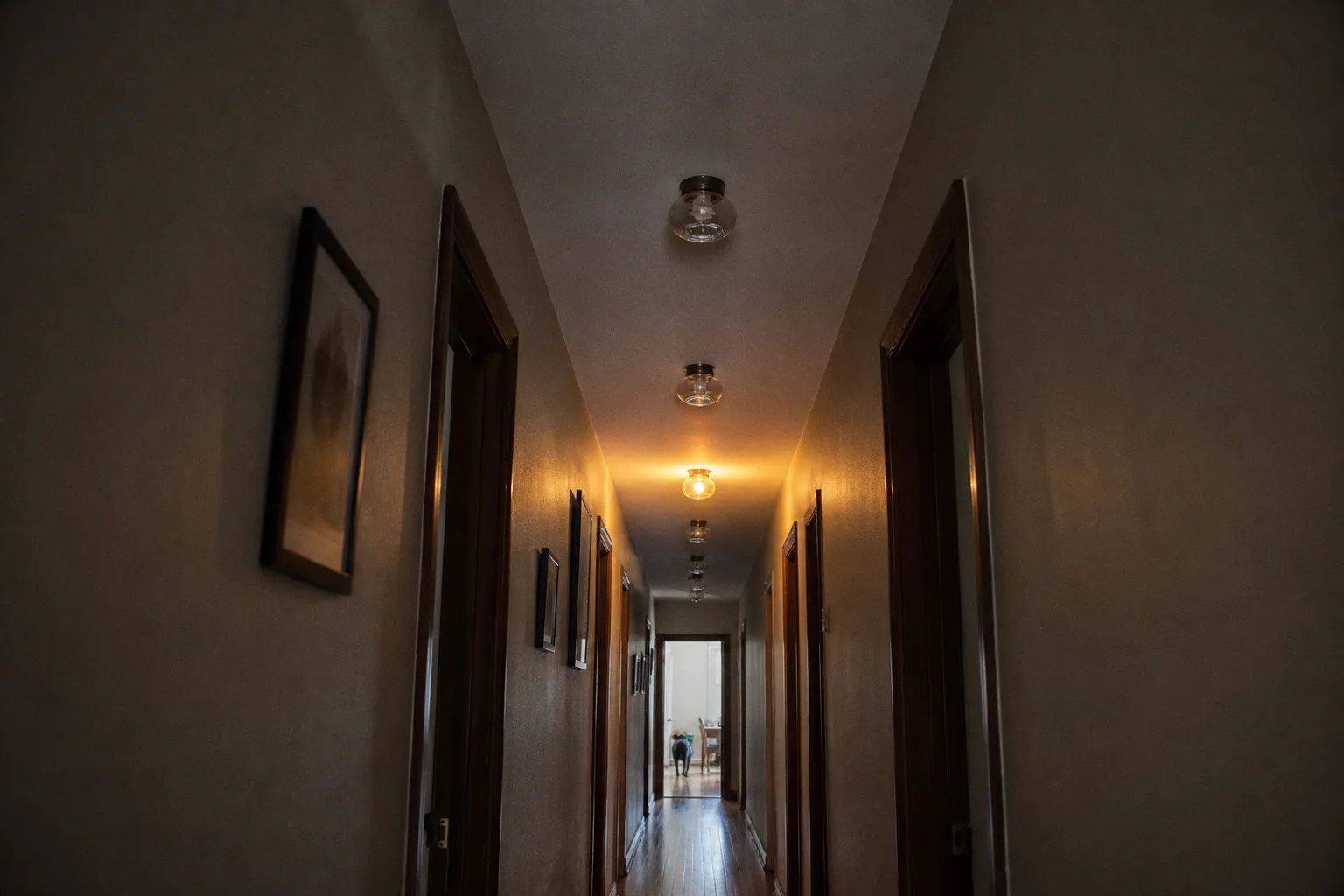
That is the dirty little payload behind whole-home smart bulb installs: the bulb is only smart while it has power. Cut power at the wall, and you have not turned off a light. You have unplugged a network device. Multiply that across bedrooms, hallways, chandeliers, vanity bars, recessed cans, and decorative lamps, and “smart lighting” becomes less an automation layer than a distributed debugging exercise.
Smart bulbs are useful. I use them. I also refuse to treat them as the default answer for every socket in a house. The better question is not “are smart bulbs worth it?” It is: where does bulb-level intelligence beat circuit-level control, and where are you just paying extra to create latency?
The hidden cost of total smart bulb saturation
A smart bulb is not just a light source. It is an LED package, a radio, a tiny controller, firmware, cloud or local integration logic, and a persistent network identity. That extra stack is exactly why it can dim, shift color temperature, join scenes, react to triggers, or sync with a TV. It is also why replacing every ordinary LED with a smart bulb rarely survives contact with real rooms.
The basic math gets ugly in multi-bulb fixtures. A single bedside lamp? Fine. A chandelier with eight bulbs? Now every socket becomes a device, every device has a cost, every device consumes standby power, and every device can fall out of sync. If the goal is “turn this fixture on at 7 p.m. and off at midnight,” putting eight radios in the ceiling is architectural comedy. A smart switch or dimmer does the job at the circuit.
There is also the replacement curve. High-quality LED smart bulbs are commonly rated around 15,000 to 25,000 hours, which is a long service life under normal use. But “long life” does not mean “zero maintenance.” Bulbs still fail. Firmware still changes. Apps still rename things after updates because apparently chaos is a product feature now. If you deploy smart bulbs everywhere, you are not just buying lighting. You are accepting device fleet management.
Here is the practical split:
| Room or fixture type | Smart bulbs make sense when… | Smart switch makes sense when… |
|---|---|---|
| Bedside lamps | You want individual dimming, warm wake scenes, or voice control without rewiring | The lamp is already controlled by a wall switch and you only need on/off |
| Living room lamps | You want scenes for reading, movies, guests, or late-night low light | Multiple lamps are on switched outlets and should act as one circuit |
| Chandeliers | Rarely, unless each bulb needs color or individual effects | Almost always: one switch controls many bulbs cleanly |
| Kitchen recessed lighting | Only for tunable white or zone-specific mood lighting | For simple task lighting across multiple cans |
| Hallways | Usually overkill unless motion scenes matter | Better as a smart switch, motion sensor, or both |
| Home theater / TV area | Strong case for color, dimming, and ambient scenes | Switch still useful for base lighting; bulbs/strips handle effects |
| Closets / utility rooms | Almost never, unless tied to sensors | Motion switch or dumb LED is usually the sane path |
The cost problem is not only purchase price. It is also topology. Every smart bulb needs a place in the control model. If it is Wi-Fi, it needs router airtime. If it is Zigbee, Thread, or Matter over Thread, it needs a healthy mesh and sane routing. If it is cloud-first, it needs vendor servers to behave. That is a lot of machinery to illuminate a laundry room for 90 seconds.
Smart bulbs are excellent endpoints. They are terrible defaults.
The whole-house smart lighting cost is not solved by buying cheaper bulbs, either. Cheap Wi-Fi bulbs often save money upfront by pushing the complexity into your network and your patience. The price difference shows up later as delayed responses, app fragmentation, and the classic “works in the app but not in the automation” shrug.
Why your Wi-Fi network starts coughing when every bulb gets an IP address
Most Wi-Fi smart bulbs live on 2.4GHz. That band is useful because it travels farther and penetrates walls better than 5GHz, but it is also the junk drawer of the connected home: bulbs, plugs, cameras, speakers, old tablets, robot vacuums, printers, and whatever mystery device your ISP router still thinks exists from 2019.
A standard consumer router can often handle roughly 30 to 50 connected devices before performance becomes noticeably fragile, depending on the router, traffic, firmware, interference, and how much other hardware is shouting on the same band. That is not a hard cliff; it is a swamp. You do not cross from “fine” to “broken” at device 51. You get intermittent latency, delayed discovery, routines that half-execute, and bulbs that respond in staggered formation like they are doing a low-budget stadium show.
This matters because lighting is one of the few smart home categories where latency feels personal. If a robot vacuum starts three seconds late, nobody cares. If a light takes three seconds to turn on after you hit a switch, the whole system feels defective.
Wi-Fi bulbs can work well in small numbers. A few lamps, a TV bias light strip, maybe two accent fixtures. But once you start turning every ceiling can into a client, you are asking your router to mediate a lighting bus it was not designed to be.
A better architecture looks like this:
1. Keep Wi-Fi bulbs for low-density, high-value locations. Lamps, accent lights, entertainment zones, and places where color or tunable white actually changes behavior.
2. Use smart switches for repeated fixtures. Kitchens, hallways, bathrooms, dining rooms, and anywhere one wall control already maps to a useful lighting group.
3. Prefer mesh protocols when bulb count climbs. Zigbee, Thread, and Matter ecosystems can reduce Wi-Fi congestion, though they still need proper border routers, repeaters, and placement.
4. Separate automation logic from vendor apps when possible. Home Assistant, Hubitat, SmartThings, Apple Home, Google Home, and Alexa each have different tradeoffs, but the principle holds: scenes should not depend on six vendor apps all waking up in the correct mood.
5. Name devices for automation, not aesthetics. “LR Lamp East” beats “Hazel’s Cozy Glow 2” when you are debugging a failed trigger at midnight.
That last point sounds petty until you have 42 lights and three named “Table Lamp.” Device naming is not housekeeping. It is observability.
The wall switch problem is not a user error
Smart bulbs require constant power to stay connected. This is not a preference. It is physics plus networking. When a traditional wall switch cuts power to the fixture, the bulb loses its radio connection and drops offline. Voice commands cannot reach it. App commands cannot reach it. Automations cannot reach it. The controller may still think the device exists, but the endpoint is gone.
This is where smart bulbs vs regular bulbs gets more interesting than the marketing copy suggests. A regular LED does one thing: it turns on when the circuit is powered. A smart bulb does many things, but only if the circuit remains powered. So if the household keeps using wall switches — and it will, because walls have switches and people have muscle memory — bulb-only systems create a split-brain control model.
There are workarounds. Some are elegant. Some are crimes with packaging.
You can install switch guards, which physically discourage people from cutting power. Effective, ugly, and mildly hostile. You can use wireless scene controllers mounted over or beside existing switches. Better, if everyone accepts the new control surface. You can replace the wall switch with a smart switch that stays powered while sending commands to smart bulbs — but this requires hardware that supports smart bulb mode, relay bypass, or decoupled control. Not every switch does.
The gold standard is a decoupled switch: button press becomes an event, not a hard power cut. The automation controller receives the event and sends the right payload to the bulbs or scene. The circuit stays live, the bulbs remain online, and the wall still behaves like a wall control. That is the civilized version.
But if you are not building that sort of control layer, smart bulbs in ceiling fixtures are fragile. The first guest, child, cleaner, electrician, or sleep-deprived adult will use the switch. Then your “ambient lighting smart home” turns into a support ticket.
If the physical interface fights the automation, the automation loses. Every time.
This is why I like smart bulbs in lamps more than in primary ceiling fixtures. Lamps are less entangled with household muscle memory. They can remain powered, sit behind scenes, and deliver the nice parts of smart lighting: dimming, warmth, color, schedules, and presence simulation. Ceiling fixtures need to be idiot-proof, and by “idiot” I mean every one of us before coffee.
Standby power: small per bulb, less small at scale
Do smart bulbs save money? Not in the simple way people want the answer to work.
Compared with old incandescent bulbs, LED lighting is already the big efficiency win. A smart bulb is usually an LED too, so the main energy savings come from LED technology and from better control habits: dimming, schedules, vacancy shutoff, motion triggers. But the smart part itself consumes standby power. Typical standby draw is often around 0.2 to 0.5 watts per bulb so the radio and controller can remain reachable.
One bulb at half a watt is not a crisis. A house full of them is still not usually a financial disaster, but it is not zero. More importantly, it exposes the absurdity of using individual networked bulbs where one smart switch would handle the same job with fewer devices.
Let’s sketch the logic without pretending there is a universal break-even point, because there is not. Electricity rates vary. Bulb prices vary. Fixture counts vary. Your router may be heroic or a potato. But the pattern is consistent.
| Deployment choice | Device count | Standby load | Failure points | Best use |
|---|---|---|---|---|
| One smart bulb in a lamp | 1 | Low | Low | Personalized lamp control |
| Six smart bulbs in one chandelier | 6 | Six standby devices | Six bulbs plus switch behavior | Only if individual color/effects matter |
| One smart switch controlling six dumb LEDs | 1 | One smart device | Switch and circuit | Normal multi-bulb room lighting |
| Smart bulbs plus decoupled smart switch | 7 devices in a six-bulb fixture | Higher | More complex, but powerful | Advanced scenes with wall control preserved |
The energy conversation gets sloppy when vendors imply that smart equals savings. Automation can reduce waste if it actually turns lights off when people forget, dims intelligently, or avoids blasting full brightness at night. But smart bulbs do not repeal the cost of hardware, standby power, or ecosystem maintenance. If you replace efficient regular LEDs with smart bulbs in every room and then run them like ordinary bulbs, you have mostly bought convenience and control — not a guaranteed lower bill.
That may still be worth it. Convenience has value. So does a hallway that fades to 20 percent after 11 p.m., or a bedroom lamp that warms down before sleep. Just do not let the spreadsheet cosplay as a climate strategy.
Where smart switches beat individual bulb replacements
Smart switches are not glamorous. They do not produce rainbow gradients. They do not appear in lifestyle photos beside a fern and a smug ceramic mug. They simply solve the control problem at the point where household wiring already expects control to happen.
For rooms with multiple bulbs on one circuit, smart switches are usually the cleaner primitive. One device controls the whole fixture. The wall remains the wall. Guests can press the switch and the system does not collapse. Automations can still run schedules, presence routines, and voice commands. If you choose a dimmer, you keep dimming — assuming the bulbs are dimmable and compatible.
The best candidates are brutally obvious:
- Dining rooms with chandeliers. If six or eight bulbs always act together, use a switch. Individual smart bulbs are just synchronized overhead.
- Kitchens with recessed cans. Task lighting wants fast, reliable control. Add under-cabinet smart strips if you want scenes; do not make every can a separate endpoint unless you enjoy logs.
- Bathrooms with vanity bars. Multiple exposed bulbs, one job. Smart switch or dimmer wins.
- Hallways and stairwells. Pair a smart switch with motion or presence sensors. The automation value is in triggering, not color.
- Closets, laundry rooms, garages. Occupancy-based control beats app-based control. Nobody needs a firmware update to find detergent.
There are caveats, because of course there are. Some smart switches require a neutral wire. Older homes may not have one in the switch box. Some dimmers misbehave with certain LED loads. Three-way and four-way circuits need compatible hardware or companion switches. If you use smart bulbs behind a smart switch, you need to know whether the switch can avoid cutting power and instead send a scene command.
That is the line between “smart switch” and “smart switch that understands smart bulbs.” A basic relay switch is great for dumb LEDs. For smart bulbs, a relay can be a guillotine. Look for terms like smart bulb mode, detached relay, decoupled mode, no-load mode, or scene control. The naming varies because the industry looked at clarity and filed a bug report as “won’t fix.”
If you run a serious automation platform, the ideal flow is simple:
1. Wall button press generates an event.
2. Controller evaluates state: time, occupancy, media mode, illuminance, sleep status.
3. Controller sends commands to bulbs, strips, switches, or scenes.
4. Physical relay stays closed unless there is a deliberate maintenance or emergency action.
That turns the switch into an input device instead of a dumb power cutter. It is a small distinction with massive consequences.
The rooms where smart bulbs earn their keep
Smart bulbs are best when the bulb itself needs to be smart. That sounds tautological, but it is the deployment rule that prevents waste.
A bulb should carry intelligence when you need per-lamp behavior, color temperature shifts, dimming without rewiring, rental-friendly control, or integration with entertainment scenes. The stronger the room’s mood and timing requirements, the stronger the case.
Bedroom: tunable light beats brute brightness
Bedrooms are one of the few places where smart bulbs feel less like gadgetry and more like decent system design. A bedside lamp can fade up in the morning, shift warm at night, and respond to a sleep mode trigger. If two people share the room, individual lamp control matters. One side can read while the other side is off. Try doing that elegantly with one ceiling switch.
The useful automations are not complicated:
- At sunrise window: fade bedside lamp from 1 percent to 40 percent over 20 minutes.
- After 10 p.m.: cap brightness at 30 percent and set warm white.
- Sleep mode: turn off overheads, leave one lamp at 5 percent for two minutes, then off.
- Motion after midnight: trigger floor-level or lamp-level low light, not ceiling interrogation mode.
That is a good smart bulb job. Local, personal, stateful.
Living room: scenes are the point
Living rooms are mixed-mode spaces. Reading, guests, TV, cleaning, late-night wandering — one brightness level does not fit all. Smart bulbs in lamps can create layered lighting without rewiring. A smart LED light strip behind a media console or TV can add bias lighting. Pair that with a smart switch for the overhead fixture and you get a useful hybrid: reliable base lighting plus flexible accent scenes.
This is also where voice controlled lighting makes sense, not because voice is perfect, but because “movie mode” is better as a scene than as five manual actions. The trigger could be a voice phrase, remote button, NFC tag, or media state from a connected TV. The payload should be boring and explicit: overhead off, lamp left 15 percent warm, strip blue at 20 percent, subwoofer outlet on if you are into that sort of mild domestic overengineering.
Home theater: color has a job
Color bulbs are mostly wasted in utility rooms. In a home theater setup, they can earn the radio. Bias lighting behind a TV reduces harsh contrast. Smart strips can react to media states. A projector routine can lower lights, close shades if integrated, set pathway lighting, and avoid full darkness until playback begins.
This is where smart bulbs, strips, smart speakers, connected TVs, and home theater automation converge. The trick is not to make everything flash. The trick is to define states:
| State | Lighting behavior | Trigger |
|---|---|---|
| Browsing | Soft room light, bias strip on, no glare on screen | TV or projector on |
| Playback | Overhead off, side lamps very low, bias strip fixed | Media playing |
| Paused | Side lamp rises to 20–30 percent | Pause event |
| Finished | Room returns to warm general scene | TV off or playback stopped |
Fixed states beat novelty effects. If your automation makes guests ask how to turn it off, it is not immersive. It is a denial-of-service attack with LEDs.
Entryways and porches: targeted automation, not bulb maximalism
Entry lighting benefits from schedules, sunset triggers, and presence. But again, the correct hardware depends on the fixture. A porch sconce with one bulb may be a good smart bulb candidate, especially if you want tunable brightness or vacation routines. Multiple exterior fixtures on one circuit? Use a smart switch rated for the job and let dumb LEDs do what they do well.
Outdoor lighting also raises reliability stakes. Cloud-dependent bulbs that miss sunset routines because the vendor service has indigestion are not charming. If exterior safety lighting matters, prefer local schedules, smart switches, or a controller that does not need a round trip through a server farm to turn on the front door.
Strategic placement beats the “every room” fantasy
The useful smart home is not the one with the most nodes. It is the one with the fewest unnecessary dependencies.
A sane smart lighting plan starts by mapping intent, not sockets. Walk the house and classify each lighting zone by what you actually need it to do.
- Simple control: on, off, maybe dim. Use a smart switch or keep regular LEDs.
- Personal control: one lamp, one person, variable routine. Use a smart bulb.
- Scene control: multiple lights with different levels. Mix smart bulbs, strips, and switches.
- Sensor control: occupancy, motion, daylight. Use smart switches, sensors, and automation logic.
- Entertainment control: media-aware lighting. Use smart bulbs or strips where color and dimming affect the experience.
- Rental constraint: no rewiring. Use smart bulbs, plug-in dimmers, wireless buttons, and accept the wall-switch problem honestly.
That last part matters. Renters often cannot replace switches, so smart bulbs become the practical option. In that case, design around the constraint. Put smart bulbs in lamps. Use button remotes. Add switch covers only where they will not annoy everyone. Keep the deployment compact enough that a router reboot does not become a lighting outage.
For homeowners, the hierarchy is sharper: switches for circuits, bulbs for effects, sensors for intent, controller for logic. Do not invert it.
Here is the blueprint I would use in a typical house:
| Area | Recommended setup | Why |
|---|---|---|
| Bedrooms | Smart bulbs in bedside lamps; optional smart switch for overhead | Personal scenes without breaking main control |
| Living room | Smart switch for ceiling; smart bulbs/strips for lamps and media wall | Reliable baseline plus flexible ambience |
| Kitchen | Smart dimmer/switch for recessed lights; smart under-cabinet strips if useful | Task lighting needs speed and consistency |
| Hallways | Smart switch plus motion/presence sensor | Automation value is triggering, not bulb intelligence |
| Bathrooms | Smart switch/dimmer; maybe night-light automation | Multi-bulb fixtures favor circuit control |
| Dining room | Smart dimmer for chandelier | One fixture, many bulbs, one behavior |
| Office | Smart bulb in task lamp; smart switch for overhead | Separates focus lighting from general lighting |
| Porch/exterior | Smart switch or single smart bulb depending on fixture count | Sunset and security routines need reliability |
This kind of plan will not impress someone counting devices in an app. Good. Device count is a vanity metric. The house should respond faster, fail less, and require fewer “why is that offline?” conversations.
The final automated flow: less gear, better logic
A mature smart lighting setup is not a bag of smart bulbs. It is a control graph.
Inputs fire triggers: wall presses, motion, door contact, illuminance, media state, time, presence, voice. Logic gates decide what those triggers mean: if after sunset, if room occupied, if TV playing, if guest mode disabled, if sleep mode active. Outputs send payloads to the right devices: switch on, lamp to 35 percent, strip to warm white, hallway to 10 percent for three minutes.
That architecture does not require smart bulbs in every room. It actively argues against it. Use smart bulbs where endpoint-level control matters. Use smart switches where circuit-level control is enough. Keep Wi-Fi bulbs to a density your router can handle, and remember that every powered-off smart bulb is just a dumb bulb with a missing heartbeat.
My own bias is simple: I want the wall switch to work, the automation to enhance it, and the network to stay boring. Boring networks are fast networks. Fast lighting feels intentional.
Advanced config, if you want the clean version: decouple wall controls where smart bulbs are required, keep the relay closed, route button events through a local controller, and build scenes as explicit state machines rather than app-brand moods. “Movie mode” is not a vibe. It is a trigger, a condition set, and a payload. Treat it that way, and smart bulbs stop being expensive decorations and start behaving like proper nodes in a lighting system.