Map a Multi-Floor Home on Roborock Without Moving the Dock
Roborock's LiDAR-based Simultaneous Localization and Mapping (SLAM) algorithm operates on a strict spatial coordinate system anchored to its charging dock.
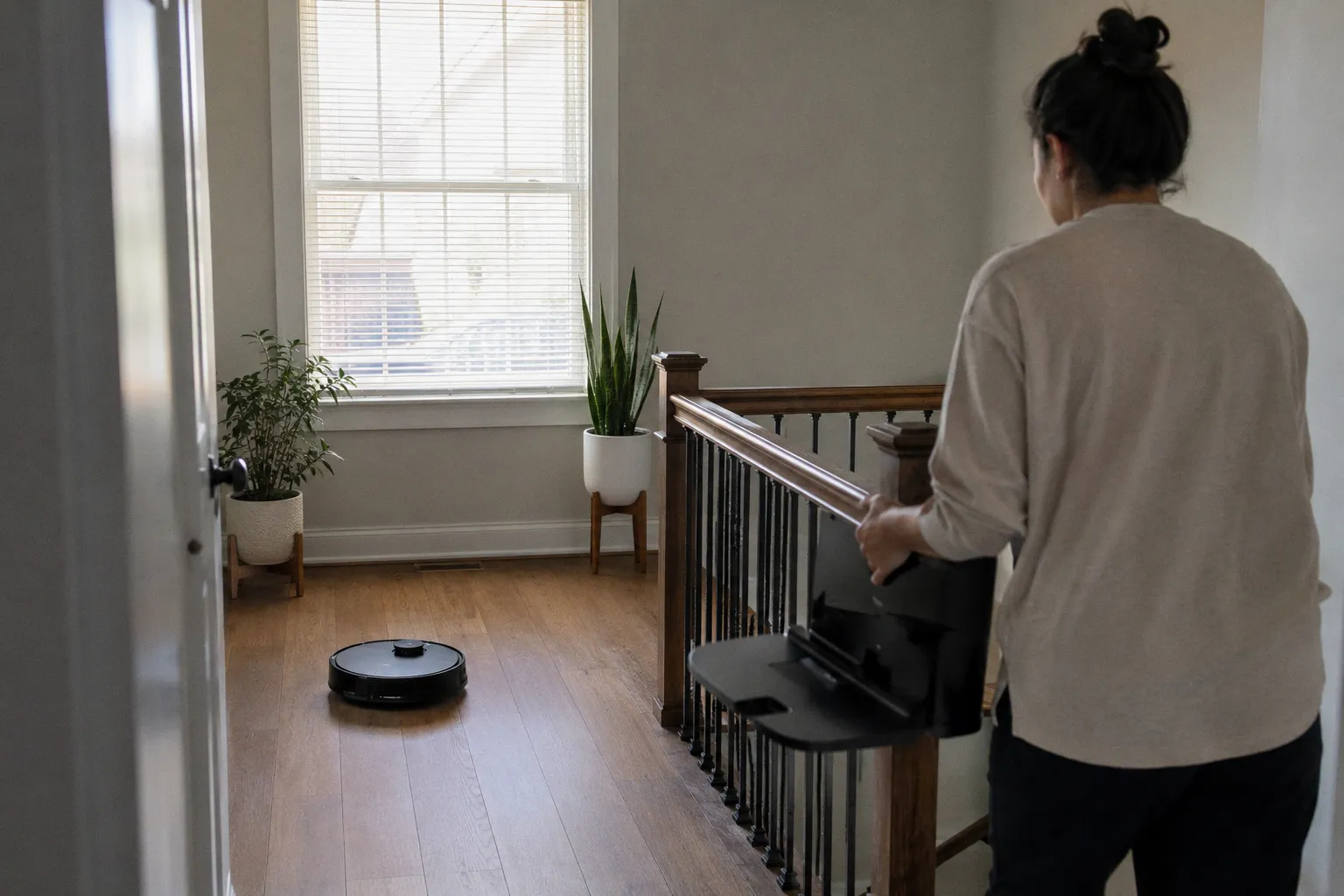
This guide walks through the complete protocol for how to map a multi-floor home on Roborock without moving the dock permanently. It covers why the dock must be temporarily relocated for calibration, how to store multiple discrete maps, and how the robot performs dock-free localization during subsequent cleaning cycles on upper or lower stories.
The Role of the Dock in Initial Floor Calibration
The Roborock navigation system relies on a combination of Laser Distance Sensors (LDS) rotating at approximately 300 RPM and wheel odometry. During the initial mapping run, the robot constructs a two-dimensional grid map using SLAM. The physical charging dock serves as the absolute coordinate origin — the point from which all distance measurements and room boundaries are calculated. The dock emits omnidirectional infrared beacons captured by the robot's bumper sensors to calibrate the docking path and confirm the reference frame.
If a mapping run is initiated without the dock present on the target floor, the firmware cannot establish a stable reference point. The SLAM algorithm will generate a temporary map in volatile memory (RAM), but this data cannot be committed to the non-volatile flash memory partition. The map is discarded once the cleaning cycle terminates or the robot powers down. The presence of the dock during the initial run is a hardware-enforced constraint designed to prevent coordinate drift and overlapping map errors.
"The charging dock serves as the physical and coordinate anchor for Roborock's SLAM algorithm; without it, the initial spatial matrix cannot be written to the device's local storage."
Without this physical anchor, the LIDAR sensor cannot match its relative distance measurements against a fixed base station. When the robot returns to the start point, the absence of the infrared docking beacon prevents the firmware from executing the final save routine. The system interprets the absence of a confirmed dock signal as evidence that the cleaning run was incomplete or that the robot has become disoriented, resulting in the deletion of the generated spatial data.
This is the single most misunderstood aspect of multi-floor Roborock operation. Many users assume the dock is merely a charging accessory. In reality, it is a structural component of the mapping pipeline — as essential to map creation as the LIDAR turret itself.
Step-by-Step: Initializing a New Map for Secondary Levels
To configure a secondary floor, the charging dock must be temporarily relocated. The following sequence must be executed precisely to ensure the map is saved to onboard flash memory:
1. Relocate Hardware: Disconnect the charging dock from the power outlet on the primary floor. Transport both the dock and the Roborock unit to the secondary floor. Place the dock against a wall in a location with at least 0.5 meters of clearance on either side and 1.5 meters in front — this spacing ensures the infrared beacons project freely and the robot can approach from multiple angles during the return sequence.
2. Power and Position: Connect the dock to a power outlet on the secondary floor. Manually place the Roborock unit onto the charging contacts. The robot must register a charging state (typically confirmed by an LED indicator or app notification) before the mapping run begins. Starting a run from a non-charging state can interrupt the calibration firmware routines.
3. App Configuration: Open the Roborock app on your phone. Navigate to the settings menu for the device, select "Manage Maps," and verify that multi-map support is enabled. The exact menu label varies by firmware version — older builds may show "Multi-Floor Sharing," while newer releases use "Multi-Map." Click "Create Map" or initiate a full clean to trigger the mapping algorithm.
4. Calibration Run: Allow the robot to navigate the entire floor plan autonomously. The robot must return to the dock at the end of the run without manual intervention. Do not pick up the robot, block its sensors, or open and close doors during the cycle. Interrupting a mapping run mid-charge creates partial coordinate data that confuses the SLAM merge algorithm on subsequent attempts.
5. Save and Confirm: Once the robot successfully docks, the firmware writes the map to one of the available memory slots. Open the app and confirm the new map appears under "Manage Maps." You can now customize it with room divisions, no-go zones, and virtual walls — all of which are stored as overlay data on the base coordinate matrix.
6. Return the Dock: Unplug the dock and return it to the primary floor. Reconnect it to power. The secondary map is now stored locally and will not be erased by operations on other floors.
For anyone looking to map a multi-floor home on Roborock without moving the dock permanently, this initial setup sequence is mandatory but only required once per floor. After the map is committed to flash memory, the dock can remain in its permanent location indefinitely.
Managing and Saving Up to Four Distinct Floor Plans
Roborock firmware limits the maximum number of saved maps to prevent memory exhaustion on the local flash storage. For most current models — including the S7, S8, Q Revo, and Q-series variants — the ceiling is four distinct maps. When the maximum capacity is reached, attempting to create a new map prompts the user to overwrite an existing slot.
The local storage partition allocates a fixed block size for each map file, which contains coordinate matrices, room divisions, user-defined barriers, and floor-specific cleaning preferences. The table below illustrates the operational differences between the primary docked floor and secondary non-docked floors:
| Parameter | Primary Docked Floor | Secondary Non-Docked Floor |
|---|---|---|
| Initial Mapping Requirement | Dock must be present | Dock must be temporarily present |
| Subsequent Cleaning Runs | Automated departure and return | Manual placement required |
| Localization Method | LiDAR combined with dock IR beacon | LiDAR spatial matching against stored map |
| Map Slot | Occupies one of up to four slots | Each additional floor occupies one slot |
| Auto-Empty / Refill Dock Features | Functional at cycle end | Not available without manual transport |
| Battery Top-Up After Run | Automatic upon docking | Manual — robot must be carried back to dock |
The onboard MCU processes spatial data locally before optionally syncing it with cloud servers. If the local partition becomes corrupted — typically due to forced shutdowns or power loss during an active save cycle — the map file may become unreadable. Recovery requires a complete recalibration run with the dock present on the affected floor.
One practical consideration: if you have more than four floors or heavily customized areas within a single floor (such as a detached garage or converted basement treated as a separate zone), you will need to manage slots actively. Deleting a map slot that you later need means repeating the full dock-relocation calibration process. Plan your slot allocation before committing maps.
Operating Your Robot on Non-Docked Floors: Best Practices
Once the secondary map is saved, the dock returns to its permanent location. Subsequent cleaning operations on the non-docked floor require manual transport of the robot.
When placed on the secondary floor, the Roborock unit must perform a localization scan. Upon powering on, the robot rotates 360 degrees to capture a LiDAR point cloud. This real-time data is compared against the stored map profiles in flash memory. Once a match is found — typically within a few seconds — the robot confirms its position and begins the cleaning cycle.
Because the dock is absent, the robot navigates entirely based on its saved coordinate map. Upon completion of the cleaning cycle, the robot returns to the exact coordinates where it was placed at the start of the run. It will search for the dock's infrared beacon for a limited timeout period before terminating the search, emitting an audio alert, and entering a low-power standby mode. The exact timeout duration varies by model and firmware version; the key point is that the robot will not search indefinitely — it will eventually stop and wait for manual retrieval.
"Operating a Roborock vacuum without a dock on secondary floors requires manual intervention at both the start and end of the cleaning cycle to prevent the robot from draining its battery in standby."
This manual-intervention reality is the primary trade-off of multi-floor mapping. There is no way around it: without the dock, there is no automated charging, no auto-empty station, and no way for the robot to self-rescue. You must physically carry it back to the dock on the primary floor after each run.
To get the most out of dock-free operation on secondary floors, follow these practices:
* Consistent Starting Position: Always place the robot in the same spot used during the initial mapping run. The starting position is a critical anchor point for localization. Even shifting the robot a meter or two can cause the SLAM algorithm to misidentify the room, leading to suboptimal cleaning paths or a failed localization attempt.
* Clear the Floor of Dynamic Obstacles: Before placing the robot, ensure doors are in the same state (open or closed) as during the mapping run. Moved furniture, new rugs, or temporary obstacles like boxes confuse the LiDAR point-cloud matching algorithm. The more the real-time scan resembles the stored map, the faster and more accurately the robot localizes.
* Monitor Battery Before Transporting: If the robot completed a full cleaning cycle on a large floor, its battery may be significantly depleted. Do not leave it in a low-charge state for extended periods. Carry it back to the dock on the primary floor promptly — lithium-ion cells degrade more quickly when stored at very low charge levels.
* Clean Cliff Sensors Regularly: On multi-floor setups, the risk of staircase falls increases if the cliff sensors are obstructed by dust, pet hair, or debris. The infrared transmitters under the robot must detect floor-level drops accurately. On secondary floors, especially near staircases, sensor cleanliness is a safety issue, not a maintenance nicety.
While configuring smart home appliances involves physical placement and network tuning, protecting the underlying digital infrastructure is equally important. Just as securing IoT devices prevents unauthorized access to your home network, maintaining robust protocols for digital transactions on platforms like fuzomoney.com ensures your broader digital security posture remains intact.
Troubleshooting Recognition Issues When Relocating the Vacuum
Localization failures are the most common frustration when operating a Roborock without its dock. The typical symptom is a "Positioning failed" message in the app, followed by the robot generating a duplicate, temporary map that does not align with the saved one. This wastes battery and produces an incomplete cleaning cycle.
To mitigate localization failures, control the following variables:
Startup Location Precision. The robot must be placed in the exact starting position used during the initial mapping run — same room, same orientation, same distance from walls. Placing it in a different room or near dynamic obstacles (closed doors that were open during mapping, or furniture that has been moved) prevents the SLAM algorithm from matching the real-time point cloud with the stored map. If you cannot remember the exact starting spot, open the saved map in the app and identify the dock's original position as a reference.
Reflective Surfaces and Sensor Interference. Floor-to-ceiling mirrors, glass doors, and highly polished surfaces distort LiDAR signals by creating false reflections. The sensor calculates phantom rooms or misinterprets wall distances, which corrupts the localization matrix. If your secondary floor contains large reflective surfaces near the starting position, consider placing the robot at a slight angle or using the app's virtual wall feature to guide the robot away from problem areas during the first few seconds of operation.
Wi-Fi Network Stability. In homes with mesh Wi-Fi networks, the robot may experience latency or brief disconnections when transitioning between access points on different floors. This latency can delay cloud sync commands or prevent the robot from pulling the latest map version from the cloud. The process for how to map a multi-floor home on Roborock without moving a smart home setup's network infrastructure involves ensuring the robot is connected to a stable 2.4 GHz band with adequate signal strength on every target floor. If the robot loses connectivity during the localization phase, it may fall back to a new mapping sequence instead of loading the saved map — effectively erasing your calibrated floor plan and requiring a full recalibration with the dock.
Firmware Consistency. Occasionally, a firmware update changes the map file format or the localization algorithm's sensitivity thresholds. After updating the robot's firmware, test a cleaning run on each saved floor to verify that maps still load correctly. If a map fails to load post-update, you may need to perform a fresh calibration run with the dock on that floor.
Environmental Drift Over Time. Stored maps are static snapshots. Over weeks and months, your home changes — new furniture, seasonal decorations, shifted rugs. If the robot consistently struggles to localize on a particular floor, the map may have drifted too far from reality. A re-calibration run with the dock repositioned to that floor will refresh the coordinate matrix and restore reliable operation.
Final Notes
The Roborock multi-floor mapping system is technically sound but fundamentally constrained by its reliance on the dock for coordinate initialization. Users expecting a fully automated multi-level cleaning experience without any manual handling will find the workflow cumbersome. The robot cannot transport itself between floors, and it cannot create or validate a new floor map without its docking station physically present.
However, for those willing to execute the one-time dock relocation setup on each floor, the local SLAM localization delivers reliable, repeatable performance. The key disciplines are consistent starting positions, clean sensors, stable Wi-Fi, and prompt manual return of the robot to the dock after each cycle. Get those four things right, and the multi-floor experience becomes routine rather than frustrating.
* System Architecture: Local SLAM with optional cloud backup.
* Hardware Constraint: Dock required for initial coordinate calibration on each floor.
* Operational Reality: Manual placement and retrieval on non-docked floors — no way to automate around this.
* Recommendation: Complete the calibration sequence once per floor, return the dock permanently, and maintain a consistent starting position for every subsequent run.