Connect your Philips Hue Bridge Pro smart home hub to Matter
The most annoying smart home problems usually show up during very ordinary moments: you walk into the kitchen with your hands full, ask for the lights over the counter, and one app responds while another pretends the room does not exist.
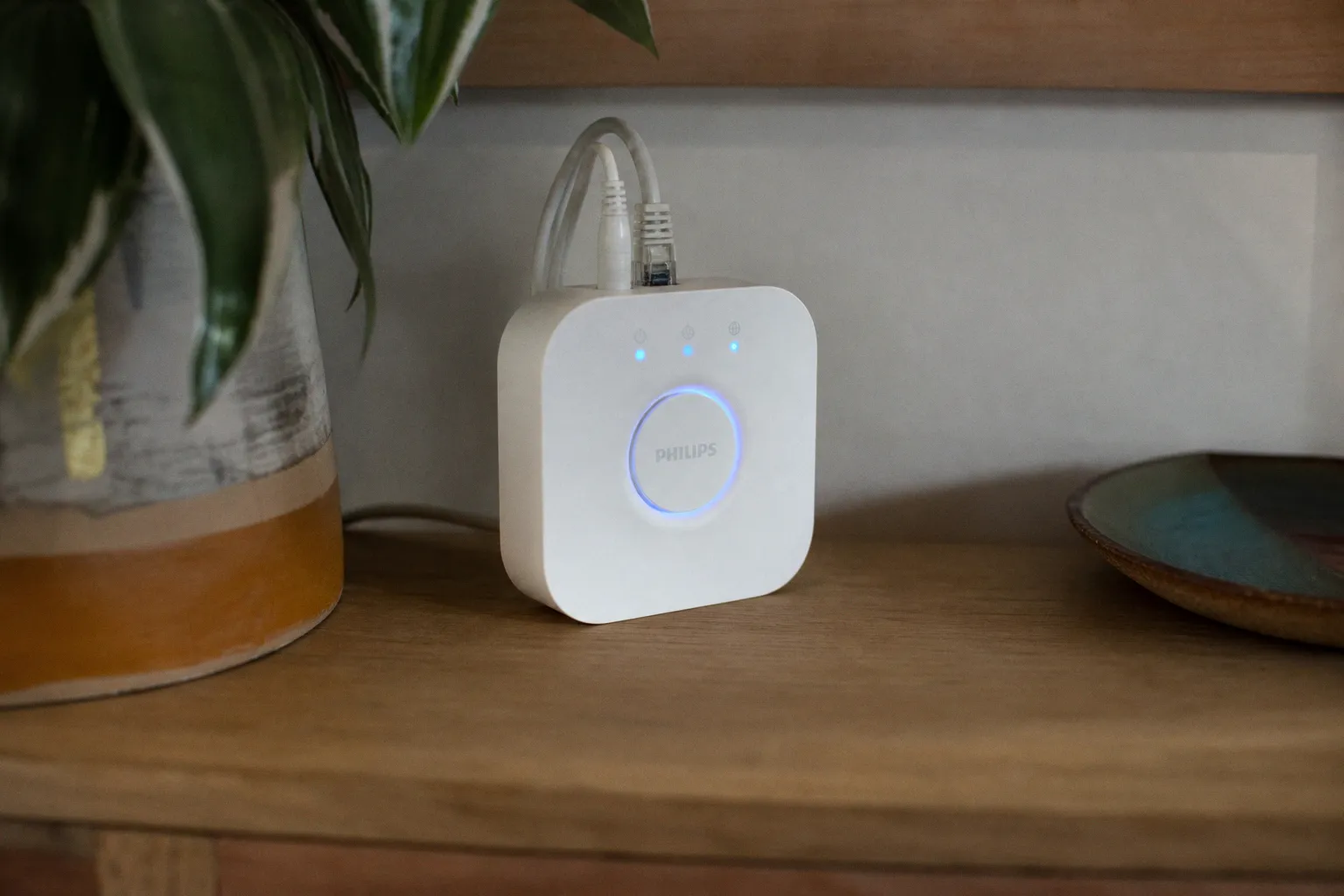
That is exactly where Matter is supposed to make life feel less stitched together. If you already have a Philips Hue Bridge Pro smart home hub — or the familiar square Philips Hue Bridge most Hue households have been using for years — Matter support can make your Hue lights and accessories visible to other major smart home platforms without replacing your bulbs, rewiring rooms, or adding another plastic box to the shelf.
The helpful part: existing square Hue Bridges received Matter support through a software update, with the official rollout arriving in September 2023. The less glamorous but very real part: the Bridge still matters. Matter does not magically turn every bulb into a new kind of device, and it does not make the Hue Bridge a Thread Border Router. The Bridge remains the translator sitting between your Zigbee Hue lighting network and the rest of your home.
What the Hue Bridge is actually doing in a Matter home
I like to think of the Hue Bridge as the quiet household manager for your lights. It is not flashy. It sits near the router, plugged in by Ethernet, and handles the chatter between your Hue bulbs, lightstrips, dimmer switches, motion sensors, and the larger smart home world. Before Matter, that usually meant connecting Hue separately to Apple Home, Google Home, Amazon Alexa, or Samsung SmartThings through each platform’s own integration.
With Matter, the Bridge takes on a more standardized role. It becomes a Matter bridge: it exposes compatible Hue devices connected over Zigbee to Matter-certified controllers. In plain household language, your Hue lighting system can show up in multiple smart home apps through a shared connection method instead of each platform treating Hue like a special guest with its own rules.
Here is the important bit I would not skip: your Hue bulbs still talk Zigbee to the Bridge. The Bridge then talks to your home network using its wired Ethernet connection and presents those devices to Matter-compatible platforms. It is not creating a Thread network. It is not replacing your router. It is not turning older bulbs into Thread bulbs.
Matter makes Hue easier to share across platforms; it does not erase the Bridge’s job as the translator in the middle.
That distinction matters when you are deciding where to put your trust — and your patience. If your Hue setup is already stable, Matter is not a reason to tear it apart. It is more like adding a cleaner doorway between rooms you already use every day.
For a household that mixes devices and platforms, that cleaner doorway can be a real relief. Maybe you use Apple Home on your iPhone because it is quick on the lock screen, but your kitchen speaker is an Echo because it hears you better over the dishwasher. Maybe Samsung SmartThings runs a few appliance routines, while Google Home handles voice control in the bedroom. Matter’s multi-admin support is designed for exactly that kind of mixed home, where one person’s favorite app should not make everyone else’s controls feel like leftovers.
Before you start: the small things that prevent a messy setup
The Matter setup for a Philips Hue Bridge Pro smart home hub is not difficult, but it is one of those jobs where five quiet minutes of prep can save you from an evening of app-hopping. I would do this when the house is calm: not while dinner is half made, not while someone is trying to put a child to bed, and definitely not while you are relying on a lighting scene to keep a room usable.
You need a few pieces in place:
1. A square Philips Hue Bridge connected to your router by Ethernet. Matter support applies to the existing square Hue Bridge through a firmware update. The Bridge still needs its wired network connection; this is not a Wi-Fi-only puck you can hide anywhere.
2. The Philips Hue app updated and signed into your Hue system. The pairing code you need is generated inside the Hue app, not printed on the side of the Bridge like a fresh device code.
3. A Matter-compatible smart home platform ready to receive it. That could be Apple Home, Google Home, Amazon Alexa, or Samsung SmartThings, depending on what you actually use in the house.
4. Your Hue Bridge firmware updated. Matter support arrived as a software update, so an old, neglected Bridge may need to catch up before the option appears.
5. A realistic expectation of what will carry over. Hue lights and supported Hue accessories can be exposed through the Bridge. Do not assume every third-party Zigbee gadget you have somehow tucked into Hue will automatically become a perfect Matter device.
This is also a good moment to tidy the Hue app itself. Rename rooms in language people in the home actually use. “Kitchen” is better than “KTCHN Main.” “Hallway” is better than “Zone 3.” Matter can help platforms understand your devices, but it cannot make a cluttered naming system feel intuitive. If you have duplicate rooms, old bulbs sitting offline, or abandoned test scenes from three apartments ago, clear those out before you invite another ecosystem into the arrangement.
I see this most often with homes that grew slowly: a starter Hue kit in the living room, a lightstrip behind the TV, two bulbs in the bedroom, then a motion sensor in the hallway, then a smart speaker sale, then a new phone that makes another platform more convenient. Nothing about that is wrong. It is how real smart homes happen. But Matter setup goes more smoothly when your Hue foundation is not carrying years of digital dust.
The practical setup: generating the Matter pairing code
The key action happens inside the Philips Hue app. You are not pairing each bulb one by one. You are pairing the Hue Bridge as a Matter bridge, which then presents its connected Hue devices to the platform you choose.
The route is simple:
1. Open the Philips Hue app.
2. Go to Settings.
3. Choose Smart home.
4. Select Matter.
5. Generate the Matter pairing code.
6. Open your chosen smart home app — Apple Home, Google Home, Amazon Alexa, or Samsung SmartThings.
7. Add a new Matter device and use the pairing code from the Hue app.
8. Follow the platform’s prompts to place the lights into rooms and finish setup.
That is the clean version. In the real kitchen-counter version, you may need to pause and decide how you want rooms to map across apps. If your Hue app has “Dining Area” but Apple Home uses “Dining Room,” choose one naming style and stick with it. The tiny inconvenience now prevents voice commands from becoming oddly fussy later.
When the pairing works, your Hue lights should appear in the Matter platform as controllable devices. Basic commands should work locally through the Matter integration, meaning you are not depending on a cloud round trip just to turn lights on and off. That is one of the nicest everyday benefits, especially in homes where internet hiccups used to make smart lights feel less smart than the wall switch.
Here is how I would treat the setup order if you use more than one platform:
| Household situation | Sensible first platform | Why I would start there |
|---|---|---|
| Mostly iPhone household with HomePods or Apple TVs | Apple Home | It often becomes the daily control layer for phones, watches, and automations |
| Echo speakers in the kitchen, bedroom, and living room | Amazon Alexa | Voice control is probably where the lights are used most often |
| Android phones and Nest speakers around the house | Google Home | It keeps phone controls and voice routines in the same daily rhythm |
| SmartThings already manages appliances or sensors | Samsung SmartThings | Hue can sit alongside broader home routines instead of feeling separate |
This is not a loyalty test. Start with the platform your household actually touches. The best smart home hub setup is not the one that looks clean in a diagram; it is the one your family uses without thinking at 6:30 in the morning.
If you need broader gadget setup help outside the Hue world, I’d keep a practical consumer tech resource like TechBuzzster handy for general how-to fixes and buying guidance, especially when you are juggling apps, speakers, wearables, and accessories from different brands.
Multi-admin is the feature mixed-platform homes have been waiting for
The phrase “multi-admin” sounds like something from a conference slide, but the lived version is simple: your Hue Bridge can be connected to multiple Matter-certified platforms at the same time. That means Apple Home does not have to be the only front door. Google Home, Alexa, and SmartThings can also be invited in, depending on your setup.
This is one of the more useful parts of Matter for Hue because lighting is shared. A robot vacuum can belong mostly to one person’s app and still be fine. A thermostat can be adjusted by whoever cares most. But lights are touched by everyone: guests, kids, partners, housemates, early risers, night owls, the person carrying laundry, the person cooking, the person reading on the sofa.
With multi-admin, you can have a more forgiving arrangement. One person can tap a Hue scene from Apple Home. Someone else can ask Alexa to dim the living room. A Google Home display can still show bedroom lights. SmartThings can include Hue in a broader “leaving home” routine. The house stops behaving as if one app has to win.
Still, I would not connect every platform just because you can. More control surfaces can also mean more places where names, rooms, and routines drift out of sync. If you connect Hue to three or four ecosystems, take a little time to clean up after yourself:
- Use the same room names across platforms where possible, so “Living Room” does not become “Lounge,” “TV Room,” and “Downstairs Lights” depending on who is asking.
- Avoid duplicating the same automation in multiple apps, unless you enjoy lights turning on twice, changing brightness unexpectedly, or running scenes in the wrong order.
- Decide where your “source of truth” lives for scenes. Hue is still very good at lighting scenes, especially if you care about color, warmth, and room mood.
- Keep voice-friendly names short. “Counter lights” will serve you better than “Kitchen preparation zone light group.”
- Remove dead devices from old platforms. A ghost bulb in one app can make troubleshooting feel much more dramatic than it needs to be.
Multi-admin is not permission to make four messy smart homes. It is a way to let one good lighting setup meet people where they already are.
This is where the Philips Hue Bridge Pro smart home hub idea earns its keep: not as another gadget to admire, but as a steady bridge between the lighting network you already invested in and the ecosystems your household actually uses.
What Matter does not change about Hue, and why that is okay
Matter has been surrounded by enough promise that it is worth being very plain about the limits. Your Hue Bridge does not become a Thread Border Router. If you are building a Thread network for sensors, plugs, or other low-power devices, you still need a proper Thread Border Router elsewhere in your home, such as a compatible speaker, display, router, or hub from a platform that supports that role.
Hue bulbs connected to the Bridge continue using Zigbee. That is not a flaw. Zigbee has been one of the reasons Hue systems have felt so dependable in busy homes: bulbs form a lighting network that does not crowd your Wi-Fi in the same way a pile of cheap Wi-Fi bulbs can. The Bridge coordinates that network and then connects outward.
So, what does Matter change?
It changes the way Hue is presented to other platforms. Instead of each ecosystem needing its own bespoke integration, the Bridge can expose compatible Hue devices through Matter. It gives you a more standardized path into Apple Home, Google Home, Alexa, and SmartThings. It supports multi-admin. It can allow basic local control through Matter-compatible systems, so a simple command does not have to feel like it is taking a scenic route through the cloud.
What it does not change:
| Expectation | Reality with Hue Bridge and Matter |
|---|---|
| “Matter means I can remove the Hue Bridge.” | No. The Bridge is still required to translate between Zigbee Hue devices and the Matter smart home network. |
| “The Hue Bridge becomes a Thread Border Router.” | No. It continues using Zigbee for Hue devices and Ethernet to connect to your home network. |
| “Every Zigbee device will appear perfectly through Matter.” | No. Compatibility is centered on Hue ecosystem devices, not every third-party Zigbee product you may have connected. |
| “Matter will automatically fix bad Wi-Fi or poor placement.” | No. Your router, Ethernet connection, and device layout still affect the everyday experience. |
| “All advanced Hue features will behave identically in every app.” | Not necessarily. Basic control travels more cleanly; richer lighting features may still feel best in the Hue app. |
That last line matters for daily comfort. Hue has always been strong at scenes: warm evening pools of light, crisp kitchen brightness, soft hallway glow, color accents that do not look like a nightclub unless you ask for one. Matter helps other platforms control the lights, but the Hue app may still be the place where you create and fine-tune the feel of a room.
Think of Matter as access, not replacement. It gets your lights into more of the places you use. It does not make every app equally good at every Hue feature.
Local control, fewer cloud worries, and the feel of a quieter home
One reason I keep coming back to hubs — even in a world full of Wi-Fi bulbs and app-only promises — is that a good hub can make the smart home feel calmer. The best connected home is not the one with the most glowing status lights. It is the one where the hallway comes on softly when you need it, the kitchen is bright when you are chopping onions, and the bedroom lamp does not require a troubleshooting session before sleep.
Matter over the Hue Bridge supports local control for basic commands across compatible ecosystems. In practice, that can mean your simple lighting requests are handled within the home network rather than being fully dependent on a cloud service for every on/off or dimming command. I would not oversell this as magic; your chosen controller, platform setup, and network still matter. But the direction is right. Lights should feel immediate. They should not make you aware of servers far away when all you wanted was a lamp.
This is also why the Ethernet connection on the Hue Bridge is not some old-fashioned inconvenience. A wired Bridge tucked near your router is often less glamorous than a wireless gadget you can place anywhere, but it gives your lighting system a steady foothold. In a cabinet full of routers, mesh nodes, TV boxes, game consoles, and mystery cables, the Hue Bridge is doing a very specific job. Let it be boring. Boring is good when it comes to lights.
For upkeep, I would check the Hue app every so often for updates, especially if a platform suddenly behaves oddly after months of calm. Smart home standards are not frozen in place, and Matter support itself arrived for Hue Bridge owners through software. Keeping the Bridge updated is part of owning the infrastructure, just like replacing smoke detector batteries or occasionally rebooting a router that has lost its manners.
Where this setup makes the biggest difference
The Matter connection is most useful if your home has grown beyond a single app. If you only use the Hue app and a couple of Hue switches, you may not feel a dramatic change. Your lights already work. You might enable Matter for future flexibility, but it is not going to transform your mornings overnight.
The benefits become much clearer in homes like these:
1. You have mixed phones and voice assistants. One person uses an iPhone, another uses Android, and the speakers were bought during three different holiday sales. Matter gives Hue a more neutral way to participate.
2. You want Apple Home, Alexa, Google Home, or SmartThings to see the same core lighting setup. This is the multi-admin sweet spot: one Hue system, several control layers.
3. You are trying to reduce cloud dependence for basic light control. Matter’s local-control approach can make simple commands feel less fragile, as long as the rest of your home network is healthy.
4. You have invested in Hue bulbs and accessories and do not want to replace them just to modernize. The software update path is the gentle upgrade here. No new Hue Bridge hardware is required for existing square Bridges to gain Matter support.
5. You are tired of explaining which app controls which room. This is less technical and more domestic, but it is real. A smart home that only one person understands becomes household clutter of a different kind.
The Philips Hue Bridge Pro smart home hub, in this role, is not about chasing the newest label. It is about keeping a mature lighting system useful as the rest of the smart home shifts around it. Matter gives Hue a common language with the big platforms, while Zigbee keeps doing the quiet bulb-to-Bridge work in the background.
A realistic way to leave your Hue system after setup
After you connect the Hue Bridge to Matter, spend ten minutes walking through the rooms. Not metaphorically — actually walk. Use the app you paired first and turn on the lights you use most: kitchen, hallway, living room, bedroom. Try a dimming command. Try the voice assistant your household uses when hands are wet, full, or covered in flour. Check that the names make sense when spoken out loud.
Then do the same from any second platform you add through multi-admin. If the living room lights appear in the wrong room, fix it now. If two lights have names that sound too similar, rename one. If a routine already exists in Hue and you recreated it in Alexa or Google Home, decide which one should stay. This is the unglamorous upkeep that makes the difference between a smart home that feels intuitive and one that feels like a drawer full of tangled charging cables.
I would keep the Hue app installed and treat it as the lighting workshop, even if you mostly control lights elsewhere. Use Hue for detailed scenes, accessory setup, and Bridge maintenance. Use Apple Home, Google Home, Alexa, or SmartThings for the daily surfaces your household prefers. That division keeps things tidy: Hue remains the lighting specialist, Matter opens the doors, and your chosen platforms become the handles people actually touch.
The best reason to connect your Philips Hue Bridge Pro smart home hub to Matter is not because a standard exists or because the logo is on the box. It is because your home probably does not live inside one ecosystem anymore. Matter lets your Hue lights move more comfortably across that reality without throwing away a setup that already works. If your lights are stable, your Bridge is updated, and your household uses more than one smart home platform, this is a quiet upgrade worth doing — not dramatic, not fussy, just the kind of connected-home improvement you notice when nobody has to ask which app turns on the kitchen.